Latest Cisco, PMP, AWS, CompTIA, Microsoft Materials on SALE Get Now Get Now
Home/
Blog/
From Subnetting to CLI Labs: A Practical 12-Week Blueprint for the CCNA
SPOTO 2 2026-07-14 10:18:39
From Subnetting to CLI Labs: A Practical 12-Week Blueprint for the CCNA

With all the talk about cloud computing and automation, some people thought traditional networking certifications were losing their value. Cisco put that rumor to rest with the release of the CCNA 200-301 Version 2.0 blueprint. This update makes it clear that solid routing, switching, and core troubleshooting skills are still the bedrock of any IT career.

Whether you want to clear the exam under the current format or prepare yourself for the upcoming v2.0 updates, trying to wing it won't work. You need a structured, step-by-step approach to cover this amount of technical material.

This 12-week study plan breaks the syllabus down into manageable weekly targets, focusing on what you actually need to know to pass.


Weeks 1–3: The Core Fundamentals and Addressing Muscle Memory

The first three weeks are all about the building blocks. If your foundational knowledge is shaky, advanced routing and security configurations will make no sense later on.

Week 1: Cabling, Interfaces, and Hardware Realities

Start by learning how data moves across physical media. You need to know the distance limits and speed capabilities of fiber-optic and copper cables. More importantly, focus on the command-line interface (CLI). Get used to running the show interfaces command and interpreting the output. You should be able to instantly spot physical-layer issues like duplex mismatches, runts, giants, and CRC errors. Wrap up the week by learning how virtual machines and containers fit into modern data centers.

Weeks 2–3: IPv4 Subnetting, VLSM, and IPv6 Basics

Subnetting cannot just be something you "kind of" understand; it has to become second nature. You should be able to look at an IP address with a CIDR notation and figure out the network ID, broadcast address, and total usable hosts in less than thirty seconds.

IPv4 Practice: Work on Variable Length Subnet Masking (VLSM) scenarios. Practice configuring static IPs, default gateways, and DHCP relay agents on a router.

IPv6 Transition: Learn the anatomy of an IPv6 address. Focus on how link-local addresses work, how global unicast addresses are assigned, and how EUI-64 uses a MAC address to create an interface ID.


Weeks 4–6: Building the Local Access Fabric and Routing Data

Now that you can address a network, it is time to connect the pieces and control how traffic flows between them.

Week 4: VLANs, Trunks, and EtherChannels

Switches keep local traffic organized. Spend this week learning how to create VLANs and isolate broadcast domains. Practice setting up 802.1Q trunk links between switches, and make sure you understand why native VLAN mismatches cause security and connectivity issues. Before the week ends, combine multiple physical links into a single logical connection by configuring EtherChannels using Link Aggregation Control Protocol (LACP).

Week 5: Spanning Tree Protocol and Network Discovery

Redundant links prevent network downtime, but they also cause catastrophic switching loops. Learn how the Spanning Tree Protocol (STP) and Rapid STP (802.1w) prevent this by electing a root bridge and blocking specific ports. You need to know how to manually change bridge priorities to keep traffic paths predictable. Finally, turn on Cisco Discovery Protocol (CDP) and Link Layer Discovery Protocol (LLDP) to map out connected neighbors.

Week 6: The Mechanics of Routing and OSPFv2

Shift your focus to Layer 3. You must understand the "packet walk"—how routers strip off Layer 2 frames, read Layer 3 IP headers, and rebuild new frames to send data to the next hop. Learn the difference between static routes, floating static routes, and dynamic routing. Then, dive into Single-Area OSPFv2. You need to know the OSPF neighbor states and, more importantly, how to troubleshoot a broken adjacency when hello timers, subnets, or authentication keys do not match.


Weeks 7–9: Essential IP Services, Infrastructure Security, and Edge Gateways

Networks need to be secure, and they need to provide services to the endpoints connected to them.

Week 7: NAT, PAT, and Domain Name Resolution

The internet runs out of public IPv4 addresses daily, which is why Network Address Translation (NAT) is everywhere. Practice configuring static NAT, dynamic NAT pools, and Port Address Translation (PAT/Overload). Once your edge router can talk to the internet, look into Domain Name System (DNS) configurations. Learn how a client resolves names to IPs and understand the roles of basic resource records like A, AAAA, and CNAME.

Week 8: Access Control Lists and Switch Port Security

Security starts at the perimeter and extends down to the individual switch port. Spend this week writing and applying standard and extended Access Control Lists (ACLs) to filter traffic based on source, destination, and port numbers. Next, protect your local switches by configuring Port Security to limit access to approved MAC addresses. Turn on DHCP Snooping and Dynamic ARP Inspection (DAI) to stop common network attacks like rogue DHCP servers

Week 9: Device Management and Remote Access Architects

Learn how to securely manage your network gear. Set up Secure Shell (SSH) access, disable unencrypted Telnet, and configure local AAA (Authentication, Authorization, and Accounting) protocols. To finish the architecture block, review how site-to-site IPsec VPNs differ from remote-access solutions, and study the basic design of cloud-managed networks and traditional three-tier enterprise architectures.


Weeks 10–11: Automation, JSON Formatting, and Practical AI Tools

The modern CCNA requires comfort with software-defined concepts and automated workflows.

Week 10: Programmatic Fabric and REST APIs

Network management has evolved past configuring one box at a time. Learn how central controllers talk to network devices by separating the control plane from the data plane. Practice reading and parsing JavaScript Object Notation (JSON) scripts. You need to understand how REST APIs use standard HTTP verbs—GET, POST, PUT, and DELETE—to push configuration changes, and learn what configuration management tools like Ansible do at a high level.

Week 11: Network Operations and AI Integration

See how AI tools are actually used by network admins. Practice writing effective prompts for generative AI models to help you audit configuration files, decipher long error logs, or write basic automation scripts. Study how predictive analytics and standard SNMP monitoring work together to alert you about hardware issues before a link completely fails.


Week 12: The Final Review and Realistic Exam Simulations

The last week is entirely about test-taking strategy and refining your pacing.

Week 12: Performance Sprints and Time Management

Cisco's exam environment can be challenging. You cannot use a "back button" to return to a skipped question, and the grading engine gives zero partial credit for multi-select items or practical lab simulations. Use this week to take full-length, timed practice tests. Pay close attention to how long it takes you to parse routing tables and debug broken configs. Use your practice scores to find your remaining weak areas and review those specific commands until you have absolute clarity.


Getting Past the Finish Line

To make this 12-week schedule work, passive reading is not enough. You need to spend time configuring topologies and seeing what happens when things break. Developing that real-world command-line familiarity is what gets you through the time limits of the actual exam.

When you are ready to test your knowledge against realistic questions, using structured mock exams can make a huge difference. SPOTO offers updated CCNA practice question pools and exam simulators built to mimic the exact style, scenario logic, and multi-select formats used by Cisco. Testing yourself in these realistic environments helps you find your blind spots early, refine your pacing, and walk into the testing center with the confidence to pass on your first try.
 

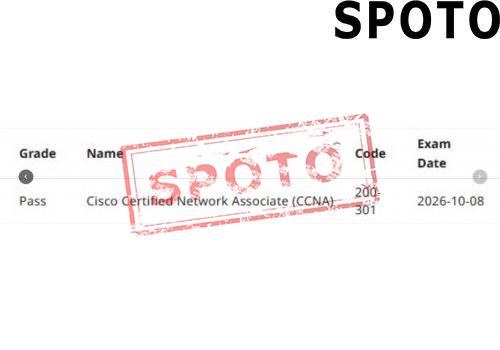
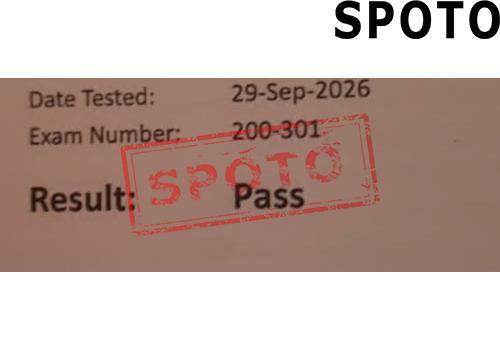
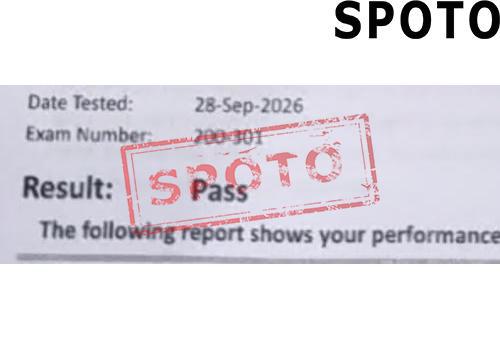
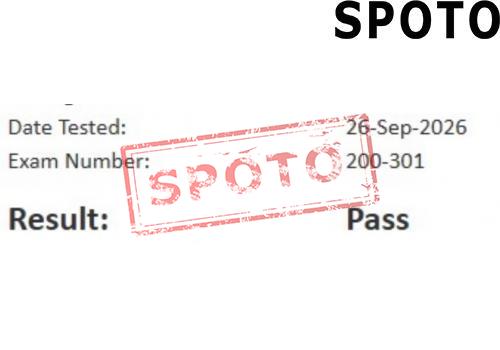
Latest Passing Reports from SPOTO Candidates
200-301

200-301

200-201

200-201

200-301-P

200-301-P

200-301-P

200-301-P

200-201

200-201

200-301-P

200-301-P

200-301-P

200-301-P

200-301-P

200-301-P

200-301

200-301

200-301

200-301

Write a Reply or Comment
Home/Blog/From Subnetting to CLI Labs: A Practical 12-Week Blueprint for the CCNA
From Subnetting to CLI Labs: A Practical 12-Week Blueprint for the CCNA
SPOTO 2 2026-07-14 10:18:39
From Subnetting to CLI Labs: A Practical 12-Week Blueprint for the CCNA

With all the talk about cloud computing and automation, some people thought traditional networking certifications were losing their value. Cisco put that rumor to rest with the release of the CCNA 200-301 Version 2.0 blueprint. This update makes it clear that solid routing, switching, and core troubleshooting skills are still the bedrock of any IT career.

Whether you want to clear the exam under the current format or prepare yourself for the upcoming v2.0 updates, trying to wing it won't work. You need a structured, step-by-step approach to cover this amount of technical material.

This 12-week study plan breaks the syllabus down into manageable weekly targets, focusing on what you actually need to know to pass.


Weeks 1–3: The Core Fundamentals and Addressing Muscle Memory

The first three weeks are all about the building blocks. If your foundational knowledge is shaky, advanced routing and security configurations will make no sense later on.

Week 1: Cabling, Interfaces, and Hardware Realities

Start by learning how data moves across physical media. You need to know the distance limits and speed capabilities of fiber-optic and copper cables. More importantly, focus on the command-line interface (CLI). Get used to running the show interfaces command and interpreting the output. You should be able to instantly spot physical-layer issues like duplex mismatches, runts, giants, and CRC errors. Wrap up the week by learning how virtual machines and containers fit into modern data centers.

Weeks 2–3: IPv4 Subnetting, VLSM, and IPv6 Basics

Subnetting cannot just be something you "kind of" understand; it has to become second nature. You should be able to look at an IP address with a CIDR notation and figure out the network ID, broadcast address, and total usable hosts in less than thirty seconds.

IPv4 Practice: Work on Variable Length Subnet Masking (VLSM) scenarios. Practice configuring static IPs, default gateways, and DHCP relay agents on a router.

IPv6 Transition: Learn the anatomy of an IPv6 address. Focus on how link-local addresses work, how global unicast addresses are assigned, and how EUI-64 uses a MAC address to create an interface ID.


Weeks 4–6: Building the Local Access Fabric and Routing Data

Now that you can address a network, it is time to connect the pieces and control how traffic flows between them.

Week 4: VLANs, Trunks, and EtherChannels

Switches keep local traffic organized. Spend this week learning how to create VLANs and isolate broadcast domains. Practice setting up 802.1Q trunk links between switches, and make sure you understand why native VLAN mismatches cause security and connectivity issues. Before the week ends, combine multiple physical links into a single logical connection by configuring EtherChannels using Link Aggregation Control Protocol (LACP).

Week 5: Spanning Tree Protocol and Network Discovery

Redundant links prevent network downtime, but they also cause catastrophic switching loops. Learn how the Spanning Tree Protocol (STP) and Rapid STP (802.1w) prevent this by electing a root bridge and blocking specific ports. You need to know how to manually change bridge priorities to keep traffic paths predictable. Finally, turn on Cisco Discovery Protocol (CDP) and Link Layer Discovery Protocol (LLDP) to map out connected neighbors.

Week 6: The Mechanics of Routing and OSPFv2

Shift your focus to Layer 3. You must understand the "packet walk"—how routers strip off Layer 2 frames, read Layer 3 IP headers, and rebuild new frames to send data to the next hop. Learn the difference between static routes, floating static routes, and dynamic routing. Then, dive into Single-Area OSPFv2. You need to know the OSPF neighbor states and, more importantly, how to troubleshoot a broken adjacency when hello timers, subnets, or authentication keys do not match.


Weeks 7–9: Essential IP Services, Infrastructure Security, and Edge Gateways

Networks need to be secure, and they need to provide services to the endpoints connected to them.

Week 7: NAT, PAT, and Domain Name Resolution

The internet runs out of public IPv4 addresses daily, which is why Network Address Translation (NAT) is everywhere. Practice configuring static NAT, dynamic NAT pools, and Port Address Translation (PAT/Overload). Once your edge router can talk to the internet, look into Domain Name System (DNS) configurations. Learn how a client resolves names to IPs and understand the roles of basic resource records like A, AAAA, and CNAME.

Week 8: Access Control Lists and Switch Port Security

Security starts at the perimeter and extends down to the individual switch port. Spend this week writing and applying standard and extended Access Control Lists (ACLs) to filter traffic based on source, destination, and port numbers. Next, protect your local switches by configuring Port Security to limit access to approved MAC addresses. Turn on DHCP Snooping and Dynamic ARP Inspection (DAI) to stop common network attacks like rogue DHCP servers

Week 9: Device Management and Remote Access Architects

Learn how to securely manage your network gear. Set up Secure Shell (SSH) access, disable unencrypted Telnet, and configure local AAA (Authentication, Authorization, and Accounting) protocols. To finish the architecture block, review how site-to-site IPsec VPNs differ from remote-access solutions, and study the basic design of cloud-managed networks and traditional three-tier enterprise architectures.


Weeks 10–11: Automation, JSON Formatting, and Practical AI Tools

The modern CCNA requires comfort with software-defined concepts and automated workflows.

Week 10: Programmatic Fabric and REST APIs

Network management has evolved past configuring one box at a time. Learn how central controllers talk to network devices by separating the control plane from the data plane. Practice reading and parsing JavaScript Object Notation (JSON) scripts. You need to understand how REST APIs use standard HTTP verbs—GET, POST, PUT, and DELETE—to push configuration changes, and learn what configuration management tools like Ansible do at a high level.

Week 11: Network Operations and AI Integration

See how AI tools are actually used by network admins. Practice writing effective prompts for generative AI models to help you audit configuration files, decipher long error logs, or write basic automation scripts. Study how predictive analytics and standard SNMP monitoring work together to alert you about hardware issues before a link completely fails.


Week 12: The Final Review and Realistic Exam Simulations

The last week is entirely about test-taking strategy and refining your pacing.

Week 12: Performance Sprints and Time Management

Cisco's exam environment can be challenging. You cannot use a "back button" to return to a skipped question, and the grading engine gives zero partial credit for multi-select items or practical lab simulations. Use this week to take full-length, timed practice tests. Pay close attention to how long it takes you to parse routing tables and debug broken configs. Use your practice scores to find your remaining weak areas and review those specific commands until you have absolute clarity.


Getting Past the Finish Line

To make this 12-week schedule work, passive reading is not enough. You need to spend time configuring topologies and seeing what happens when things break. Developing that real-world command-line familiarity is what gets you through the time limits of the actual exam.

When you are ready to test your knowledge against realistic questions, using structured mock exams can make a huge difference. SPOTO offers updated CCNA practice question pools and exam simulators built to mimic the exact style, scenario logic, and multi-select formats used by Cisco. Testing yourself in these realistic environments helps you find your blind spots early, refine your pacing, and walk into the testing center with the confidence to pass on your first try.
 

Latest Passing Reports from SPOTO Candidates
200-301
200-201
200-301-P
200-301-P
200-201
200-301-P
200-301-P
200-301-P
200-301
200-301
Write a Reply or Comment
Don't Risk Your Certification Exam Success – Take Real Exam Questions
Eligible to sit for Exam? 100% Exam Pass GuaranteeEligible to sit for Exam? 100% Exam Pass Guarantee
SPOTO Ebooks
Recent Posts
From Subnetting to CLI Labs: A Practical 12-Week Blueprint for the CCNA
The 48-Hour Countdown: Crucial Preparation Pillars for Fortinet's Restored NSE Hierarchy
The Architecture of Authority: Why Cisco's Radical 2026 Overhaul Makes the CCNP More Valuable Than Ever
The 2026 Core Reset: Why Cisco's Radical CCNA Blueprint Overhaul Has Restored Its Absolute Premium
Beyond Product Badges: Decoding Palo Alto Networks' Radical Role-Based Overhaul
Decoding Fortinet's July 2026 NSE 5/6 FortiAI Analyst Track Reset
The Architecture of Elite Security: Unpacking Fortinet's Brutal 2026 NSE 8 Transformation
Fighting at Machine Speed: Deconstructing Fortinet's 2026 Automated Security Operations (NSE 6/7) Blueprint
The "2026 Overhaul": Why the Fortinet NSE 4 Reset Will Transform Your Certification Strategy
The Unified Gauntlet: Decoding Fortinet’s New Comprehensive NSE 7 Secure Networking Exam
Excellent
5.0
Based on 5236 reviews
Request more information
I would like to receive email communications about product & offerings from SPOTO & its Affiliates.
I understand I can unsubscribe at any time.