








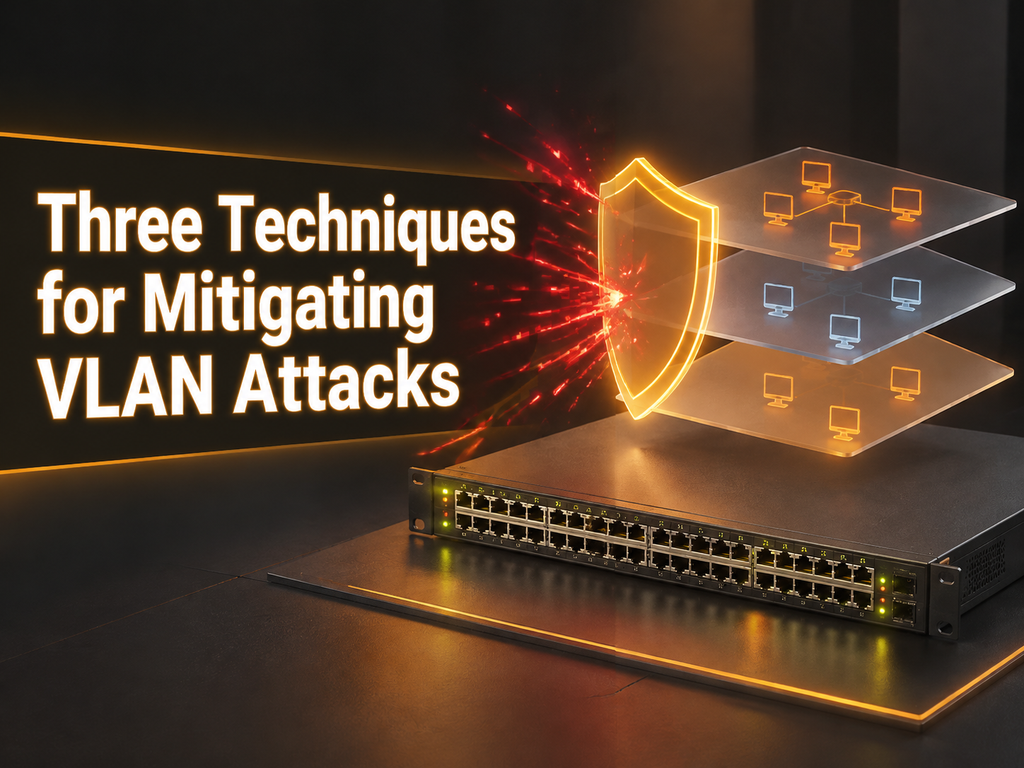
Virtual LANs (VLANs) logically segment broadcast domains on Ethernet switches, but out-of-the-box switch configurations prioritize plug-and-play convenience over security. When switches ship with active trunk negotiation, all ports assigned to VLAN 1, and untagged native trunk traffic, an attacker with physical access to a wall jack—or virtual access to a misconfigured hypervisor vSwitch—can bypass Layer 3 firewalls entirely through Layer 2 VLAN hopping.
In enterprise network security and Cisco CCNA design standards, mitigating VLAN attacks centers on three foundational techniques: disabling Dynamic Trunking Protocol (DTP) auto-trunking, changing the 802.1Q native VLAN away from default VLAN 1 to an unused VLAN, and explicitly locking down active access ports while isolating unused ports. Below, we break down how each technique neutralizes Layer 2 exploits, how trunk hardening compares to intra-VLAN segmentation, and how to deploy, troubleshoot, and audit these controls across single- and multi-vendor switch fleets.
Table of Contents
Three Foundational Techniques for Mitigating VLAN Attacks
Layer 2 VLAN hopping primarily relies on two attack vectors: switch spoofing (tricking a switchport into forming an unauthorized 802.1Q trunk) and 802.1Q double-tagging (crafting frames with nested VLAN headers to jump across trunks unidirectionally). Implementing the following three techniques closes both avenues at the switchport boundary:
- Disable Dynamic Trunking Protocol (DTP) and Auto-Trunking
- How the attack works: On many enterprise switches, Ethernet interfaces default to
dynamic autoordynamic desirablemode, actively listening for or transmitting DTP frames to negotiate trunk links automatically. Using Layer 2 attack frameworks such as Yersinia, an attacker connected to an unhardened port can spoof DTP frames, negotiate a full 802.1Q trunk, and capture or inject traffic across every VLAN permitted on that link. How the mitigation stops it: Turning off DTP negotiation (
switchport nonegotiate) and configuring trunk links manually (switchport mode trunk) only on verified inter-switch uplinks ensures ports ignore spoofed DTP frames completely.Reassign the Native VLAN Away from Default VLAN 1 (and Tag Native Traffic)
- How the attack works: Even without forming a trunk, an attacker on a standard access port can execute an 802.1Q double-tagging attack if their access VLAN matches the trunk’s native VLAN (which defaults to VLAN 1). Using packet-crafting tools like Scapy, the attacker transmits a frame carrying two 802.1Q tags: an outer tag matching the native VLAN and an inner tag matching a target victim VLAN. Because IEEE 802.1Q trunks forward native VLAN traffic untagged by default, the upstream switch strips the outer tag and forwards the packet across the trunk; the downstream switch then reads the exposed inner tag and delivers the payload into the restricted VLAN.
How the mitigation stops it: Changing the native VLAN on all 802.1Q trunks from VLAN 1 to a dedicated, unrouted dummy VLAN ID assigned to zero access ports prevents attackers from ever originating traffic inside the native VLAN. For stronger defense, enabling global 802.1Q native VLAN tagging forces switches to tag native traffic and drop untagged data frames on trunks altogether.
Explicitly Configure Static Access Ports and Quarantine Unused Switchports
- How the attack works: Unpatched conference room jacks, IP phone pass-through ports, and unconfigured switch interfaces default to VLAN 1 with dynamic trunking active, providing ready-made physical entry points for both switch spoofing and double-tagging. Additionally, permissive trunks that carry all VLANs (
1–4094) widen the blast radius if an uplink or hypervisor port is ever compromised. - How the mitigation stops it: Hard-coding every host-facing port into static access mode (
switchport mode access) prevents unauthorized trunk transitions, while administratively shutting down all unused interfaces and placing them into an unrouted “blackhole” (parking lot) VLAN neutralizes exposed ports. Pairing this with explicit allowed-VLAN lists on trunks restricts inter-switch links strictly to active production VLANs.
Together, these three controls establish a deterministic Layer 2 perimeter—yet securing the boundary between VLANs does not stop compromised endpoints from attacking neighbors inside the same VLAN.
Trunk Hardening vs. Private VLANs vs. VACLs: Choosing the Right Layer 2 Control
While the three foundational techniques above prevent inter-VLAN hopping, network architects frequently weigh them against Private VLANs (PVLANs) and VLAN Access Control Lists (VACLs) when designing zero-trust switching layers. Each mechanism operates at a different forwarding plane boundary and solves a distinct threat problem.
| Evaluation Criteria | Trunk & Access Port Hardening (DTP + Native VLAN Controls) | Private VLANs (PVLANs — RFC 5517) | VLAN Access Control Lists (VACLs / VLAN Maps) |
|---|---|---|---|
| Primary Threat Mitigated | Inter-VLAN hopping via switch spoofing and 802.1Q double-tagging | Intra-VLAN lateral movement, ARP spoofing, and peer-to-peer host exploitation within a shared subnet | Unauthorized intra-VLAN and bridged Layer 2–4 flows that bypass routed firewall SVIs |
| Traffic Scope | Inter-VLAN boundaries, 802.1Q trunks, and edge port negotiation | Intra-VLAN Layer 2 port isolation within a single IP subnet | All bridged and routed packets entering or transiting a target VLAN |
| Enforcement Mechanism | Disables DTP frames; isolates or 802.1Q-tags native trunk frames; shuts down unused ports | Subdivides a primary VLAN into Promiscuous (gateway), Isolated (no peer talk), and Community secondary VLANs | Hardware TCAM stateless packet filtering (vlan access-map + vlan filter) with forward or drop actions |
| Filtering Granularity | Port mode and whole-VLAN ID level | Port role level (Layer 2 MAC forwarding isolation; protocol-agnostic) | Fine-grained Layer 2 MAC ACLs and Layer 3/4 IP, TCP, and UDP rules |
| Platform & Operational Caveats | Low overhead; requires symmetric native VLAN and trunk settings on linked switches | Requires VTP transparent mode (or VTPv3); defeated if Proxy ARP is left enabled on the upstream router | Consumes switch TCAM; stateless (requires explicit return-traffic permits); lacks IPv6 ACL support on many IOS XE platforms |
| Ideal Deployment Scenario | Mandatory baseline across every campus, branch, and data center switch | Multi-tenant DMZs, guest Wi-Fi, IoT segments, and co-located servers sharing one subnet | Micro-segmenting specific TCP/UDP ports between hosts inside an existing flat VLAN |
Trunk hardening is never an alternative to PVLANs or VACLs—it is the prerequisite foundation that keeps VLAN boundaries intact so higher-level segmentation policies cannot be bypassed at Layer 2.
Step-by-Step Switchport Configuration to Prevent VLAN Hopping
Translating the three foundational VLAN mitigation techniques into production requires applying CLI commands in the right sequence so ports never fall into inconsistent states. The following five-step workflow uses Cisco IOS / IOS XE syntax to harden access ports, inter-switch trunks, and unused interfaces.
Step 1: Create Dedicated Native and Blackhole VLANs Without Layer 3 Routing
First, define two dedicated Layer 2 VLANs: one to serve as the isolated trunk native VLAN (e.g., VLAN 999) and another to act as the unrouted parking lot for unused ports (e.g., VLAN 888). Do not create active Switch Virtual Interfaces (interface Vlan999 or interface Vlan888) with IP addresses, and ensure interface Vlan1 is administratively shut down.
Switch(config)# vlan 999
Switch(config-vlan)# name NATIVE_UNUSED
Switch(config-vlan)# exit
Switch(config)# vlan 888
Switch(config-vlan)# name BLACKHOLE_UNUSED
Switch(config-vlan)# exit
Switch(config)# interface Vlan1
Switch(config-if)# no ip address
Switch(config-if)# shutdown
Switch(config-if)# exit
Step 2: Lock Active End-User Ports into Static Access Mode
Assign active workstation, printer, and server ports to a production data VLAN (never VLAN 1), force static access mode, and disable DTP frame transmission. Note that you must enter switchport mode access before switchport nonegotiate, because IOS rejects nonegotiate on interfaces still operating in dynamic auto or dynamic desirable mode.
Switch(config)# interface range GigabitEthernet1/0/1 - 20
Switch(config-if-range)# description ENDPOINT_ACCESS_PORTS
Switch(config-if-range)# switchport mode access
Switch(config-if-range)# switchport access vlan 10
Switch(config-if-range)# switchport nonegotiate
Switch(config-if-range)# exit
Step 3: Harden 802.1Q Trunk Uplinks and Prune Allowed VLANs
On inter-switch uplinks, manually enforce trunking, suppress DTP, assign the dedicated unused native VLAN (999), and explicitly whitelist only the production VLANs required across that link. (On older Catalyst IOS platforms that support legacy ISL, run switchport trunk encapsulation dot1q prior to switchport mode trunk; modern Catalyst 9000 IOS XE switches use 802.1Q exclusively.) Optionally, enable global native VLAN tagging so even VLAN 999 frames are tagged on egress and untagged data frames are dropped on ingress.
Switch(config)# vlan dot1q tag native
Switch(config)# interface range GigabitEthernet1/0/47 - 48
Switch(config-if-range)# description UPLINK_TRUNK_TO_CORE
Switch(config-if-range)# switchport mode trunk
Switch(config-if-range)# switchport nonegotiate
Switch(config-if-range)# switchport trunk native vlan 999
Switch(config-if-range)# switchport trunk allowed vlan 10,20,30
Switch(config-if-range)# exit
Step 4: Isolate and Shut Down All Unused Switchports
Place every unpatched interface into static access mode inside the unrouted blackhole VLAN (888), disable DTP, and administratively power down the ports so unauthorized physical connections cannot establish link.
Switch(config)# interface range GigabitEthernet1/0/21 - 46
Switch(config-if-range)# description UNUSED_QUARANTINED_PORTS
Switch(config-if-range)# switchport mode access
Switch(config-if-range)# switchport access vlan 888
Switch(config-if-range)# switchport nonegotiate
Switch(config-if-range)# shutdown
Switch(config-if-range)# end
Step 5: Verify Operational Trunking, DTP State, and Native VLAN Assignments
Run targeted show commands to confirm that DTP is off, no ports remain in VLAN 1 or VLAN 999, and trunks only pass authorized VLANs:
Switch# show interfaces GigabitEthernet1/0/47 switchport
! Confirm "Administrative Mode: trunk", "Negotiation of Trunking: Off",
! and "Trunking Native Mode VLAN: 999 (NATIVE_UNUSED)"

Switch# show interfaces trunk
! Confirm Mode is "on", Encapsulation is "802.1q", Native vlan is "999",
! and Vlans allowed on trunk lists only "10,20,30"

Switch# show dtp interface GigabitEthernet1/0/1
! Confirm DTP is disabled on edge access ports

Switch# show vlan dot1q tag native
! Confirm "dot1q native vlan tagging is enabled globally"

Switch# show vlan brief
! Confirm active ports reside in VLAN 10, unused ports reside in VLAN 888,
! and zero access ports appear under VLAN 1 or VLAN 999
Following this exact sequence—static mode assignment first, DTP suppression second, and native/allowed VLAN scoping third—hardens standalone Cisco switches cleanly, though enterprise networks mixing multiple hardware vendors require adapting these controls to open-standard protocols.
Mitigating VLAN Attacks in Multi-Vendor Enterprise Environments
When uplinks connect Cisco Catalyst switches to Juniper EX/QFX, HPE Aruba CX, or Arista switches, Cisco-proprietary DTP is absent on the non-Cisco peers. However, mixed-vendor environments remain exposed to 802.1Q double-tagging and standards-based dynamic VLAN registration protocols if trunks and edge ports are left at vendor defaults. Follow these four steps to standardize VLAN attack mitigations across multi-vendor fabrics:
Step 1: Disable MVRP, GVRP, and Boundary DTP
While non-Cisco switches do not speak DTP, many support Multiple VLAN Registration Protocol (MVRP, IEEE 802.1ak) or legacy GARP VLAN Registration Protocol (GVRP), which dynamically advertise and create VLAN memberships across trunks. If left active on edge or untrusted links, an attacker can craft MVRP protocol data units (PDUs) to register restricted VLANs onto their port.
– Cisco uplinks facing non-Cisco switches: Always configure switchport mode trunk and switchport nonegotiate so Cisco ports never transmit proprietary DTP frames to third-party neighbors.
– Juniper Junos: Keep protocols mvrp unconfigured globally, or block dynamic VLAN creation and interface participation (set protocols mvrp no-dynamic-vlans and set protocols mvrp interface <if-name> disable).
– HPE ArubaOS-CX / ArubaOS-Switch: Ensure no mvrp (and no gvrp on legacy ArubaOS-Switch platforms) is enforced globally and per interface.
Step 2: Enforce Tagged-Only 802.1Q Trunks Across Vendor Boundaries
Vendor operating systems treat untagged trunk traffic differently out of the box. Cisco IOS XE and HPE ArubaOS-CX default to untagged native vlan 1, whereas Juniper Junos interface-mode trunk assigns no native VLAN by default—dropping untagged ingress frames unless native-vlan-id is explicitly added. The safest multi-vendor design eliminates untagged user frames across inter-switch trunks altogether:
- Cisco IOS XE side: Enable
vlan dot1q tag nativeglobally (withswitchport trunk native vlan 999andswitchport trunk allowed vlan 10,20,30). - Juniper Junos side: Configure
interface-mode trunkwith an explicitvlan memberslist and omit thenative-vlan-idstatement so all egress frames are tagged and untagged ingress data packets are discarded:
junos

set interfaces xe-0/0/0 unit 0 family ethernet-switching interface-mode trunk

set interfaces xe-0/0/0 unit 0 family ethernet-switching vlan members [ 10 20 30 ] - HPE ArubaOS-CX side: Disable Layer 3 routing on the port (where applicable), move the native VLAN to
999with thetagkeyword so native frames must carry an 802.1Q header, and prune allowed VLANs:
aruba

interface 1/1/48

no routing

vlan trunk native 999 tag

vlan trunk allowed 10,20,30
Step 3: Align Spanning Tree Protocols Before Modifying Native VLANs
Cisco Rapid-PVST+ exchanges per-VLAN SSTP BPDUs carrying Port VLAN ID (PVID) metadata, while Juniper and Aruba switches typically run IEEE RSTP or Multiple Spanning Tree Protocol (MSTP, IEEE 802.1s). Standardize mixed-vendor trunk boundaries on MSTP so control-plane BPDUs remain vendor-neutral and native VLAN adjustments do not trigger cross-vendor PVID blocking.
Step 4: Quarantine Unused Interfaces Across Non-Cisco Platforms
Mirror the blackhole parking-lot discipline on every third-party access switch:
– Juniper Junos: Assign unpatched ports to an unrouted BLACKHOLE VLAN (interface-mode access vlan members BLACKHOLE) and disable link state via set interfaces ge-0/0/20 disable.
– HPE ArubaOS-CX: Set no routing, vlan access 888, and shutdown on all inactive switchports.
Standardizing on tagged-only trunks and disabled dynamic VLAN registration unifies multi-vendor security, but rolling these changes out asymmetrically on live links can quickly trigger spanning-tree or trunk outages.
Troubleshooting Native VLAN Mismatches and Post-Hardening Trunk Issues
Applying DTP and native VLAN changes to one end of an active uplink before updating the neighbor switch frequently causes partial or total traffic blackholes. Use the answers below to diagnose and resolve the four most common post-hardening disruptions.
Why are VLANs stuck in BKN* (*PVID_Inc) with %SPANTREE-2-RECV_PVID_ERR after changing the native VLAN?
When one Cisco switch is updated to switchport trunk native vlan 999 while its trunk peer remains on native vlan 1, Per-VLAN Spanning Tree (PVST+ / Rapid-PVST+) receives untagged SSTP BPDUs advertising peer VLAN ID 1 on local VLAN 999 (and vice versa). To prevent bridging two separate broadcast domains into a Layer 2 loop, Spanning Tree logs %SPANTREE-2-RECV_PVID_ERR, %SPANTREE-2-BLOCK_PVID_PEER, and %SPANTREE-2-BLOCK_PVID_LOCAL, placing both mismatched VLANs into a broken BKN* (*PVID_Inc) state. Run show spanning-tree inconsistentports to identify the blocked interfaces, then configure matching switchport trunk native vlan 999 settings on both ends. STP automatically clears the PVID_Inc block and transitions the VLANs back to forwarding as soon as consistent BPDUs arrive.
Why did a trunk link drop all VLAN traffic after configuring switchport nonegotiate?
If you configure switchport mode trunk and switchport nonegotiate on an upstream core switch while the downstream access switch uplink is still set to switchport mode dynamic auto, the core switch immediately stops sending DTP frames. Deprived of DTP keepalives from its neighbor, the dynamic auto port reverts to a static access port in VLAN 1, severing all 802.1Q-tagged VLANs across the link. When hardening live networks remotely, always update the downstream/remote switchport to static switchport mode trunk first before disabling DTP on the local upstream switchport.
What causes %CDP-4-NATIVE_VLAN_MISMATCH syslog alerts, and does disabling CDP fix the problem?
Cisco Discovery Protocol (CDP) exchanges each interface’s native VLAN ID every 60 seconds and logs %CDP-4-NATIVE_VLAN_MISMATCH whenever connected ports report different native VLANs. Never disable CDP solely to silence this warning: if STP is filtered or running a mode that ignores PVID checks, mismatched native VLANs silently cross-connect untagged traffic between two different subnets, creating both connectivity failures and unauthorized VLAN leakage. Align the native VLAN ID on both switches and verify symmetry with show interfaces trunk.
Why did wireless access points or hypervisors lose management connectivity after enabling vlan dot1q tag native?
Enabling vlan dot1q tag native instructs the switch to insert an 802.1Q tag on outgoing native VLAN packets and drop all incoming untagged data packets on trunk ports. Campus wireless access points (such as FlexConnect/local-switching APs), PXE boot servers, or hypervisor management vNICs that send untagged management frames over a trunk will be dropped on ingress. Either configure the connected AP/hypervisor to tag its management VLAN or selectively exempt that edge trunk by applying no switchport trunk native vlan tag at the interface level on supported switches.
Once maintenance-window order-of-operations pitfalls are accounted for, locking these settings into a repeatable baseline template prevents human error during day-to-day switch provisioning.
Layer 2 Switch Hardening Configuration Template and Security Audit Checklist
Use the parameterized Cisco IOS XE golden template and CIS Benchmark-aligned audit checklist below to standardize the port hardening workflow covered earlier across production switches. Replace bracketed <VARIABLES> with your site-specific VLAN IDs and interface ranges before deployment.
! =========================================================================
! LAYER 2 VLAN ATTACK MITIGATION BASELINE TEMPLATE (CISCO IOS XE)
! =========================================================================
! 1. Isolated Native & Blackhole VLANs (Ensure NO Layer 3 SVIs exist)
vlan <NATIVE_VLAN_ID>
 name NATIVE_TRUNK_UNUSED
exit
vlan <BLACKHOLE_VLAN_ID>
 name UNUSED_PORT_PARKING
exit

! 2. Disable Default VLAN 1 SVI
interface Vlan1
 no ip address
 shutdown
exit

! 3. Enforce Global 802.1Q Native VLAN Tagging
vlan dot1q tag native

! 4. Hardened 802.1Q Uplink Trunks (Apply to remote/downstream peer first)
interface range <TRUNK_INTERFACE_RANGE>
 description HARDENED_8021Q_TRUNK
 switchport mode trunk
 switchport nonegotiate
 switchport trunk native vlan <NATIVE_VLAN_ID>
 switchport trunk allowed vlan <COMMA_SEPARATED_PROD_VLANS>
exit

! 5. Hardened Static Endpoint Access Ports
interface range <ACCESS_INTERFACE_RANGE>
 description HARDENED_ENDPOINT_ACCESS
 switchport mode access
 switchport access vlan <DATA_VLAN_ID>
 switchport nonegotiate
 spanning-tree portfast
 spanning-tree bpduguard enable
exit

! 6. Quarantined Unused Switchports
interface range <UNUSED_INTERFACE_RANGE>
 description QUARANTINED_UNUSED_PORT
 switchport mode access
 switchport access vlan <BLACKHOLE_VLAN_ID>
 switchport nonegotiate
 shutdown
exit
Pre- and Post-Deployment VLAN Hardening Checklist
- [ ] Default VLAN 1 evacuated: Zero active user, server, or management ports are assigned to
VLAN 1, andinterface Vlan1is administrativelyshutdown. - [ ] DTP disabled fleet-wide: Every active trunk and access port explicitly includes
switchport nonegotiate(Negotiation of Trunking: Off). - [ ] No dynamic switchport modes remain: Zero interfaces report
dynamic autoordynamic desirableadministrative state. - [ ] Dedicated native VLAN isolated: All 802.1Q trunks share a matching non-default
<NATIVE_VLAN_ID>that has no Layer 3 SVI and zero assigned access ports. - [ ] Native VLAN tagged (where supported):
vlan dot1q tag native(or vendor equivalent) is active across inter-switch trunks, with documented per-port exceptions for legacy untagged edge devices. - [ ] Explicit trunk VLAN pruning:
switchport trunk allowed vlanrestricts every trunk strictly to required VLANs (neverallor1-4094). - [ ] Unused ports quarantined: Every unpatched port is assigned to
<BLACKHOLE_VLAN_ID>, set to staticaccessmode, and placed inshutdownstate. - [ ] Zero STP inconsistencies:
show spanning-tree inconsistentportsreturns empty after trunk changes.
Deploying a hardened baseline secures switches on day one, but MAC moves, emergency troubleshooting changes, and hardware replacements inevitably introduce configuration drift unless fleets are continuously audited.
Best Switch Configuration Auditing Tools to Detect VLAN Security Gaps
Manual CLI spot-checks do not scale across hundreds of wiring-closet switches. Network security teams rely on automated configuration compliance and vulnerability assessment platforms to flag active DTP negotiation, default native VLAN 1 usage, unpruned trunks, and unhardened access ports against CIS Benchmarks and DISA STIGs.
| Auditing Platform | Assessment Method | Multi-Vendor Support | Layer 2 VLAN Security Checks | Drift Alerting & Remediation | Best Fit Environment |
|---|---|---|---|---|---|
| Titania Nipper (InfraSight / OmniSight) | Agentless virtual configuration modeling of offline/exported configs (no live probing required) | Multi-vendor (Cisco, Juniper, HPE Aruba, Arista, Check Point, Palo Alto) | Context-aware validation of DTP state, native VLAN exposure, unused ports, and CIS / NIST / STIG pass-fail evidence | Prioritized risk scoring and exact CLI remediation commands; point-in-time & scheduled runs | Regulated, defense, PCI DSS, and air-gapped networks needing zero-impact audit accuracy |
| Cisco Catalyst Center (Release 3.3.x) | Continuous telemetry, NETCONF/SSH polling, and intent-based template state tracking | Cisco-centric (Catalyst 9000, IOS XE, Nexus/campus ecosystems) | Flags template deviations on switchport modes, native VLANs, allowed VLAN lists, and running-vs-startup drift | Real-time Compliance Dashboard violation alerts and automated one-click template re-provisioning | Large homogeneous Cisco Catalyst campus fabrics managed via intent-based networking |
| SolarWinds Network Configuration Manager (NCM) | Scheduled SSH/SNMP config backups with regex and config-block policy rule engines | Broad multi-vendor enterprise switch and router support | Out-of-the-box CIS, DISA STIG, and Cisco Security Audit reports scanning per-interface blocks for missing nonegotiate or native vlan 1 | Real-time syslog/trap change detection with automated CLI remediation script push | Multi-vendor NetOps teams combining daily backup/change management with compliance |
| Tenable Nessus / Tenable Security Center | Credentialed SSH compliance scans using official .audit policy files | Multi-vendor (Cisco IOS/IOS XE, Junos, Aruba, EOS) | Evaluates CIS Cisco IOS XE Benchmark and CIS Control 11/12 checks across trunk and access interface stanzas | Continuous compliance dashboards in Tenable.sc; reporting-focused (no native config push) | Security operations teams unifying host vulnerability scanning and network CIS audits |
| CIS-CAT Pro Assessor | Standards-body Java/CLI assessment engine evaluating live SSH targets or offline config files | 25+ vendor families covered by official CIS Benchmarks | Direct reference implementation of CIS Cisco IOS and IOS XE Benchmark Layer 2 switchport controls | Generates HTML/JSON/CSV conformance scorecards; pairs with external automation for fixes | Teams benchmarking directly against official Center for Internet Security scoring profiles |
When selecting an auditor, prioritize tools that parse per-interface configuration context (correlating whether a port in mode trunk also possesses both a non-default native vlan and a restricted allowed vlan list) rather than simple flat-text grep checks, which frequently miss unhardened ports or trigger false positives.
Cisco Catalyst Layer 2 VLAN Security Reference and Official Documentation
For network engineers validating platform-specific ASIC behavior and release-level syntax across Cisco Catalyst 9000 Series switches (Catalyst 9200, 9300, 9400, 9500, and 9600 running Cisco IOS XE 17.x and 26.x.x), the specifications below summarize official vendor behavior and authoritative documentation sources.
Command Syntax and Platform Hardware Behavior
switchport mode {access | trunk}- Default State: All Catalyst 9000 Ethernet switchports default to
switchport mode dynamic auto. - Hardware Behavior: Setting
accessbinds the port unconditionally to a single untagged data VLAN (plus an optional tagged voice VLAN). Settingtrunkforces permanent IEEE 802.1Q tagging across allowed VLANs regardless of neighbor DTP state. switchport nonegotiate- Syntax Dependency: Supported only when the administrative mode is static
accessor statictrunk; rejected by the IOS XE parser if the interface is configured asdynamic autoordynamic desirable. - Hardware Behavior: Suppresses generation and processing of Cisco proprietary DTP frames (
0100.0ccc.cccc) on the interface. vlan dot1q tag nativeandswitchport trunk native vlan tag- Syntax Dependency: The global command
vlan dot1q tag nativemust be enabled in global configuration mode before the interface-levelswitchport trunk native vlan tagcommand takes effect. Once global native tagging is active,no switchport trunk native vlan tagcan be applied on individual trunk ports to override global tagging selectively. - Forwarding ASIC (FWD-ASIC) Behavior: When enabled, the switch inserts an IEEE 802.1Q tag on all egress data frames belonging to the native VLAN and drops untagged ingress user data frames on 802.1Q trunks, while continuing to process untagged link-local IEEE control frames (such as BPDUs, LACP, and LLDP).
- Catalyst Series Support Matrix: Catalyst 9200 Series switches support global
vlan dot1q tag nativeonly (show vlan dot1q tag nativeoutputs a single global status line). Catalyst 9300, 9400, 9500, and 9600 Series switches support both global and per-port native VLAN tagging. On high-performance core models such as the CatalystC9500X-28C8D,vlan dot1q tag nativeis enabled by default. switchport trunk native vlan <vlan-id>- Default State:
VLAN 1. - Layer 3 Subinterface Interaction: When terminating an 802.1Q trunk onto a routed Layer 3 physical port subinterface, the
encapsulation dot1q <vlan-id> nativekeyword must match the peer switch’s untagged native VLAN ID; Cisco advises against combining routing configurations on the parent physical interface when native dot1q subinterfaces are present. Additionally, Remote SPAN (RSPAN) VLANs must not be assigned as trunk native VLANs.
Authoritative Vendor Guides and Compliance Standards
- VLAN Configuration Guide, Cisco IOS XE 17.x / 26.x.x (Catalyst 9000 Series Switches): Primary vendor reference covering the Configure VLAN, Configure VLAN Trunking (DTP modes,
switchport nonegotiate, native VLAN assignment, and allowed-VLAN pruning), and Configuring Private VLANs chapters. - Layer 2 Configuration Guide / Layer 2 Tunnels Configuration Guide, Cisco IOS XE: Documents global and per-port
vlan dot1q tag nativebehavior, IEEE 802.1Q tunneling (QinQ) native VLAN isolation rules, and FWD-ASIC verification commands. - Security Configuration Guide, Cisco IOS XE 17.x / 26.x.x (Catalyst 9000 Series Switches): Covers VLAN Maps (VACL configuration guidelines, TCAM hardware treatment, and router ACL interactions), 802.1X port authentication, and switchport security controls.
- DISA Cisco IOS XE Switch L2S Security Technical Implementation Guide (STIG): Federal compliance baseline mandating non-default native VLANs on all 802.1Q trunks (
V-220655) and prohibiting any access switchports from being assigned to a trunk’s native VLAN (V-220673).
Always cross-check per-port native VLAN tagging support and ASIC caveats against the release-specific Cisco IOS XE documentation for your exact switch model prior to fleet-wide rollout.
Conclusion
Mitigating VLAN attacks does not require exotic licenses or complex network redesigns—it requires systematically replacing permissive factory switch defaults with three foundational Layer 2 controls: disabling DTP auto-trunking (along with MVRP/GVRP in multi-vendor fabrics), isolating and tagging the 802.1Q native VLAN away from default VLAN 1, and locking active ports into static access mode while shutting down unused interfaces in an unrouted blackhole VLAN. By staging trunk and native VLAN updates symmetrically from downstream switches toward the core, layering PVLANs or VACLs where intra-VLAN isolation is needed, and continuously validating switch configurations with automated compliance auditing tools, network teams can ensure Layer 2 VLAN boundaries remain enforced across the enterprise.


Comments