







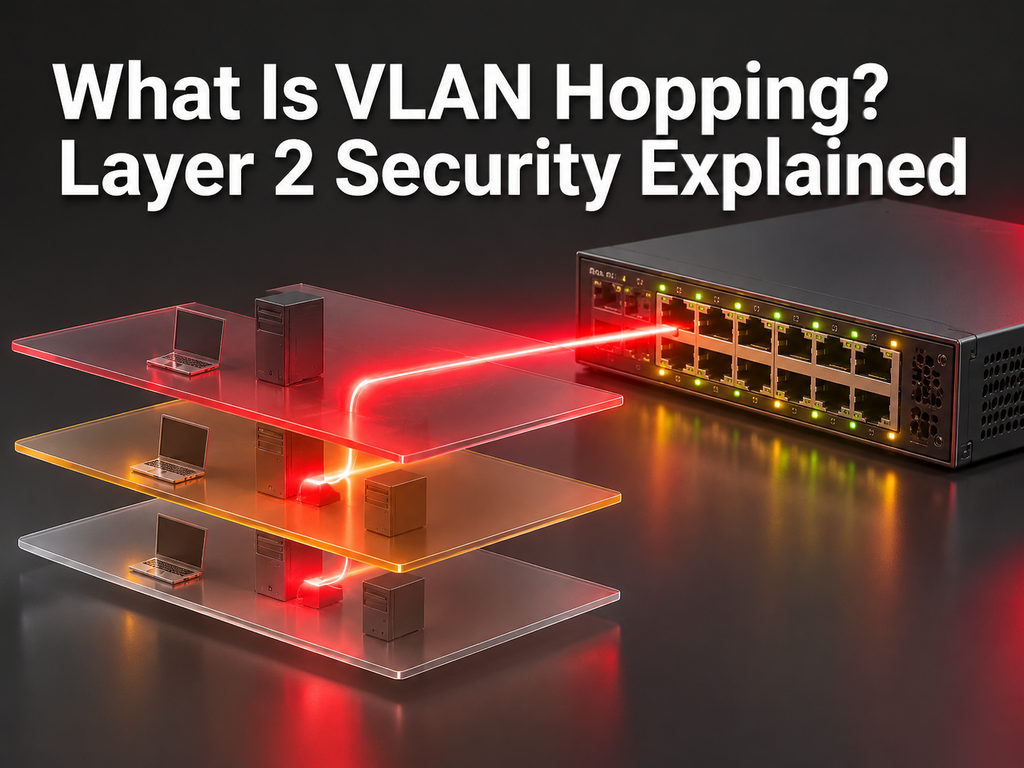
Virtual Local Area Networks (VLANs) segment a shared physical switch fabric into isolated Layer 2 broadcast domains, ensuring that workstations, servers, and management interfaces on separate subnets cannot communicate without passing through a Layer 3 router or firewall. VLAN hopping is a Layer 2 network exploitation technique that bypasses this logical isolation, allowing an attacker connected to one switchport to inject Ethernet frames into—or intercept traffic from—unauthorized VLANs without ever crossing a Layer 3 inspection boundary. Rather than exploiting software memory bugs, VLAN hopping abuses permissive default trunking protocols and untagged native VLAN behaviors on misconfigured switches.
Table of Contents
How VLAN Hopping Works: Switch Spoofing and Double Tagging
Attackers execute VLAN hopping through one of two distinct mechanisms depending on how the local switchport and upstream trunks are configured.
Method 1: Switch Spoofing (DTP Exploitation)
Switch spoofing targets Cisco’s proprietary Dynamic Trunking Protocol (DTP), which automates 802.1Q trunk negotiation between interconnected switches.
- Permissive Port State: The attacker connects to an Ethernet port left in
dynamic auto,dynamic desirable, or unhardenedtrunkmode rather than a static access configuration. - Rogue Trunk Negotiation: Impersonating a neighboring Cisco switch, the attacker’s host transmits crafted DTP frames to multicast MAC address
01:00:0c:cc:cc:ccrequesting a trunk link. - Full Bidirectional Access: Once the switch transitions the port into an active 802.1Q trunk, the attacker becomes a member of every VLAN permitted on that trunk. By creating virtual VLAN sub-interfaces on their network card, the attacker can sniff broadcast traffic, run ARP scans, and establish full two-way TCP/UDP sessions with hosts across restricted VLANs.
Method 2: 802.1Q Double Tagging (Nested Tagging)
When dynamic trunking is disabled, an attacker can still attempt 802.1Q double tagging if specific topological prerequisites align:
- Native VLAN Alignment: The attacker must connect to a port assigned to the same VLAN ID as the untagged native VLAN of an upstream 802.1Q trunk (historically VLAN 1 by default), while the target host resides on a downstream switch across that trunk. Additionally, the ingress switchport must accept tagged frames—such as legacy switches or access ports configured with an auxiliary voice VLAN (“mini-trunk”).
- Dual Header Injection: The attacker transmits a modified Ethernet frame carrying two sequential 4-byte IEEE 802.1Q tags (
EtherType 0x8100): an outer tag set to the trunk’s native VLAN ID and an inner tag set to the victim’s VLAN ID. - Outer Tag Stripping: The first switch reads only the outer 802.1Q header, recognizes the frame as belonging to the trunk’s native VLAN, strips that outer tag so the frame traverses the trunk link untagged, and forwards the remaining payload without inspecting the inner tag.
- Downstream Hop: The receiving switch on the far end of the trunk inspects what is now the outermost header—the attacker’s inner tag—and delivers the frame directly into the victim VLAN.
Unlike switch spoofing, double tagging is strictly unidirectional. Because the victim host has no Layer 2 return path back to the attacker’s isolated VLAN without traversing a router or firewall, double tagging is primarily limited to blind UDP payload injection, spoofed command packets, or denial-of-service (DoS) floods.
Key Takeaway: Switch spoofing grants interactive, two-way access across all trunked VLANs by abusing dynamic port negotiation, whereas double tagging achieves one-way packet injection across switches by exploiting untagged native VLAN stripping.
VLAN Hopping vs. ARP Spoofing and MAC Flooding
Because enterprise networks face multiple data-link threats, defenders often conflate VLAN hopping with other Layer 2 attacks. While VLAN hopping breaks across logical segment boundaries, attacks like ARP spoofing and MAC flooding operate within a single broadcast domain.
| Comparison Criterion | VLAN Hopping | ARP Spoofing (ARP Poisoning) | MAC Flooding (CAM Overflow) |
|---|---|---|---|
| Primary Objective | Cross logical Layer 2 VLAN boundaries without traversing a router or firewall | Intercept, modify, or blackhole traffic between two hosts inside the same subnet | Exhaust switch MAC memory so unicast traffic floods out all ports in the same VLAN |
| Protocol / Mechanism | DTP trunk negotiation or stacked IEEE 802.1Q tags | Unsolicited/gratuitous ARP replies binding the attacker’s MAC to a gateway or peer IP | High-rate Ethernet frames with randomized source MAC addresses |
| Attack Blast Radius | Inter-VLAN (exposes all trunked VLANs or a targeted downstream VLAN) | Intra-VLAN (confined to the local IPv4 broadcast domain) | Intra-VLAN (flooded frames remain confined to the ingress port’s assigned VLAN) |
| Traffic Directionality | Bidirectional (switch spoofing) or unidirectional (double tagging) | Bidirectional Man-in-the-Middle (MitM) relay | Unidirectional passive eavesdropping on leaked unicast frames |
| Key Prerequisites | Active DTP modes (dynamic auto/desirable) or user ports sharing an untagged native VLAN | Shared VLAN membership and absence of cryptographic or switch-level ARP validation | Switchports lacking learned MAC address count limits |
| Primary Switch Defense | Static access ports, switchport nonegotiate, unused/tagged native VLAN | DHCP Snooping paired with Dynamic ARP Inspection (DAI) | Port Security (switchport port-security maximum MAC limits) |
Key Takeaway: Controls like Dynamic ARP Inspection and Port Security stop attackers inside a single subnet, but if VLAN hopping succeeds via switch spoofing first, an attacker can pivot into adjacent VLANs and launch ARP spoofing there as well.
Preventing VLAN Hopping via Switch CLI Configuration
Eliminating both switch spoofing and double tagging requires disabling DTP negotiation on all interfaces, forcing user ports into static access mode, moving the native VLAN off VLAN 1 to an unused ID, and enforcing explicit 802.1Q tagging on native VLAN traffic. Apply the following Cisco IOS / IOS XE configuration template across access and distribution switches:
! ==========================================================
! 1. GLOBAL NATIVE VLAN TAGGING (BLOCKS DOUBLE TAGGING)
! Forces 802.1Q tags on native VLAN trunk frames and drops untagged trunk frames
! ==========================================================
configure terminal
vlan dot1q tag native

! ==========================================================
! 2. CREATE DEDICATED UNUSED NATIVE & PARKING VLANS
! Never assign active hosts or SVIs to these VLANs
! ==========================================================
vlan <DEAD_END_PARKING_VLAN_ID>
 name UNUSED_PORT_PARKING
 exit
vlan <DEDICATED_NATIVE_VLAN_ID>
 name TRUNK_NATIVE_DO_NOT_USE
 exit

! ==========================================================
! 3. HARDEN ACTIVE ENDPOINT ACCESS PORTS (BLOCKS SWITCH SPOOFING)
! Force static access mode and disable DTP frame generation/processing
! ==========================================================
interface range <USER_PORT_RANGE>
 description Authorized_User_Workstations
 switchport mode access
 switchport access vlan <USER_DATA_VLAN_ID>
 switchport nonegotiate
 spanning-tree portfast
 spanning-tree bpduguard enable
 exit

! ==========================================================
! 4. ISOLATE AND DISABLE UNUSED SWITCHPORTS
! Park disconnected ports in a blackhole VLAN and administratively shut them
! ==========================================================
interface range <UNUSED_PORT_RANGE>
 descriptionDISABLED_UNUSED_PORTS
 switchport mode access
 switchport access vlan <DEAD_END_PARKING_VLAN_ID>
 switchport nonegotiate
 shutdown
 exit

! ==========================================================
! 5. HARDEN INTER-SWITCH 802.1Q TRUNK UPLINKS
! Match native VLAN on both ends, prune VLAN 1, and disable DTP
! ==========================================================
interface <UPLINK_INTERFACE_ID>
 description Uplink_to_Core_Switch
 switchport trunk encapsulation dot1q
 switchport mode trunk
 switchport trunk native vlan <DEDICATED_NATIVE_VLAN_ID>
 switchport trunk allowed vlan <EXPLICIT_VLAN_LIST_WITHOUT_1>
 switchport nonegotiate
 exit
end

! ==========================================================
! 6. VERIFY HARDENING STATE
! ==========================================================
show vlan dot1q tag native
show interfaces trunk
show interfaces <UPLINK_INTERFACE_ID> switchport
write memory
(Note: On modern Catalyst 9000 switches that support only 802.1Q, omit switchport trunk encapsulation dot1q, which is required only on legacy platforms supporting ISL.)
Key Takeaway: Combining switchport nonegotiate on every port with global vlan dot1q tag native neutralizes both VLAN hopping vectors in minutes without requiring hardware upgrades.
Detecting VLAN Hopping Attempts in Wireshark and IDS
Even with preventive baselines in place, security operations teams need visibility into rogue trunking attempts and malformed 802.1Q headers caused by configuration drift. Follow this five-step detection workflow to catch active exploitation:
- Preserve 802.1Q Tags at the Capture Point: Configure network TAPs or switch SPAN ports on inter-switch trunks so VLAN headers are retained in transit. On capture hosts, verify that network card hardware VLAN stripping is disabled; otherwise, the OS driver may strip the outer
0x8100header before Wireshark or an IDS sensor sees the frame. - Hunt for Rogue DTP Frames in Wireshark: On hardened networks where DTP is disabled, no access port should ever emit DTP packets. Apply the Wireshark display filter
dtporeth.dst == 01:00:0c:cc:cc:ccto isolate Cisco multicast control traffic and inspect the source MAC address of any host attempting to negotiate a trunk. - Spot Nested 802.1Q Tags (Double Tagging) in Wireshark: Standard tagged Ethernet frames carry
0x8100in the outer Ethernet header followed by an IPv4 (0x0800), IPv6 (0x86dd), or ARP (0x0806) EtherType inside the VLAN header. To surface double-tagged frames immediately, filter for an 802.1Q header encapsulating a second 802.1Q tag:
text

vlan.etype == 0x8100 || vlan.too_many_tags
Outside of dedicated carrier Q-in-Q (802.1ad) tunnels, any match onvlan.etype == 0x8100indicates double-tagging activity. - Deploy Layer 2 IDS Signatures (Suricata / Snort): Configure network IDS sensors monitoring user aggregation trunks to alert on DTP LLC/SNAP frames (
PID 0x2004) or stacked VLAN headers. For example, in Suricata:
text

alert pkthdr any any -> any any (msg:"L2 ALERT Unauthorized DTP Frame Detected"; content:"|01 00 0c cc cc cc|"; offset:0; depth:6; content:"|20 04|"; distance:12; within:8; sid:1009001; rev:1;) - Correlate Switch Syslogs and Flow Telemetry in SIEM: Forward switch logs and IPFIX/sFlow records (with VLAN ID fields enabled) to your SIEM. Alert on sudden interface transitions to trunk mode,
%CDP-4-NATIVE_VLAN_MISMATCHsyslog warnings, and one-way traffic spikes entering sensitive server VLANs without corresponding firewall allow logs.
Key Takeaway: Because double-tagged frames lose their outer header after the first hop, place packet sensors upstream near access switches or alert on asymmetric cross-VLAN flows alongside DTP multicast frames.
Testing Switch Defenses in a Lab with Yersinia and Scapy
Before signing off on switch hardening templates, penetration testers and network engineers should validate controls in an isolated lab (such as Cisco Modeling Labs, EVE-NG, or GNS3) or under explicit written authorization on non-production hardware.
Step 1: Passive Link Discovery
Connect a Kali Linux test host to the target switchport and listen passively for DTP and CDP advertisements to determine whether trunk negotiation is active and identify the native VLAN:
sudo tcpdump -i eth0 -nn -e -v ether dst 01:00:0c:cc:cc:cc -c 10
If DTP frames arrive every 30 seconds advertising Auto or Desirable status, the port is vulnerable to switch spoofing.
Step 2: Test Switch Spoofing with Yersinia
Use Yersinia (or automated VLAN scripts like frogger) to transmit spoofed DTP Desirable packets and request an 802.1Q trunk:
# Launch DTP trunk-enabling attack directly from CLI (or use 'sudo yersinia -I' for interactive ncurses UI)
sudo yersinia dtp -attack 1 -interface eth0
On the lab switch, run show interfaces trunk. If eth0‘s connected switchport appears in the trunk list, confirm cross-VLAN access by creating an 802.1Q virtual interface for a restricted VLAN (e.g., VLAN 20) on Kali:
sudo ip link add link eth0 name eth0.20 type vlan id 20
sudo ip link set eth0.20 up
sudo dhclient eth0.20
Step 3: Test Double-Tagged Injection with Scapy
To test whether an access port sharing the trunk native VLAN (e.g., VLAN 1) forwards stacked 802.1Q tags into an isolated downstream segment (e.g., VLAN 20, host 10.20.20.50), craft and inject a nested Dot1Q frame using Python and Scapy:
from scapy.all import Ether, Dot1Q, IP, ICMP, sendp

frame = (
    Ether(dst="ff:ff:ff:ff:ff:ff") /
    Dot1Q(vlan=1) /                 # Outer tag: matches upstream trunk Native VLAN
    Dot1Q(vlan=20) /                # Inner tag: target downstream VLAN
    IP(src="10.20.20.99", dst="10.20.20.50") /
    ICMP()
)

sendp(frame, iface="eth0", count=5, inter=0.5)
Step 4: Verify Target Receipt and Re-Test Remediation
Because double tagging is one-way, you will not see an ICMP Echo Reply on eth0. Run tcpdump -i eth0 icmp directly on the lab victim (10.20.20.50) in VLAN 20 to verify whether the injected packets arrived. Finally, apply the CLI hardening configuration from earlier and repeat Steps 2 and 3 to confirm both DTP negotiation and double-tagged packets are dropped.
Key Takeaway: Always verify double-tagging lab tests with a packet capture on the destination VLAN rather than relying on ping replies from the attacking host, which will fail even when injection succeeds.
Network Configuration Audit Tools for VLAN Security Compliance
Manually checking thousands of switch interfaces for missing switchport nonegotiate statements or stray native VLAN assignments does not scale across enterprise campuses. Network security teams rely on automated configuration compliance and auditing tools to identify Layer 2 drift continuously:
- Titania Nipper: An agentless network configuration auditing platform CIS-accredited across more than 180 device types. Nipper ingests switch configurations offline or via SSH to benchmark settings against CIS Benchmarks and DISA STIGs, flagging active DTP ports, untagged native VLANs, and unpruned trunks alongside exact CLI remediation scripts.
- Tenable Nessus (Compliance & STIG Audits): Beyond vulnerability scanning, Nessus supports credentialed SSH and offline configuration file audits against CIS Switch Benchmarks and DISA Layer 2 Switch STIGs. Built-in checks such as
NET-VLAN-009automatically identify access ports assigned to the trunk native VLAN across enterprise switch fleets. - SolarWinds Network Configuration Manager (NCM): Uses customizable regex-based Policy Reports to scan backed-up running configurations across hundreds of multi-vendor switches for interfaces missing
switchport mode accessorswitchport nonegotiate, paired with parameterized change templates to remediate flagged ports in bulk. - ManageEngine Network Configuration Manager: Combines scheduled configuration versioning with automated compliance checks (CIS, PCI-DSS, HIPAA) and reusable “configlets” that enforce standardized port-security and native-VLAN hardening snippets across distributed branch switches.
- Batfish: An open-source pre-deployment network configuration analysis engine that models switch and router configs mathematically inside CI/CD pipelines. Teams use Batfish to catch native VLAN mismatches across trunk links and unintended Layer 2 reachability before configuration changes are pushed to production hardware.
Key Takeaway: Pairing pre-deployment checks (like Batfish) with continuous CIS/STIG configuration auditors (like Nipper or Nessus) prevents routine port provisioning changes from quietly reintroducing VLAN hopping paths.
Frequently Asked Questions About VLAN Hopping on Modern Networks
Even seasoned architects often question whether classic Layer 2 attacks remain viable on newer switching silicon, hypervisors, and cloud fabrics.
Are modern enterprise switches still vulnerable to VLAN hopping out of the box?
It depends on the vendor and port configuration. Non-Cisco platforms—including Arista EOS, Juniper Junos, and HPE Aruba CX—do not run Cisco’s proprietary DTP and default ports to untagged static access mode, eliminating classic DTP switch spoofing out of the box. However, modern Cisco Catalyst 9000 series switches running IOS XE still default Ethernet interfaces to switchport mode dynamic auto and native VLAN 1. An unconfigured Catalyst port in dynamic auto will readily form a trunk if an attacker sends active DTP Desirable frames. Conversely, double tagging is harder to pull off on modern ASICs because current switches generally drop 802.1Q-tagged frames arriving on pure access ports unless a voice VLAN is also enabled on the port.
Can VLAN hopping happen on VMware ESXi virtual switches?
Yes, when port groups are misconfigured for guest tagging. By default, VMware vSphere uses Virtual Switch Tagging (VST) or External Switch Tagging (EST), where the ESXi hypervisor strips and applies 802.1Q headers outside the virtual machine’s reach. However, if an administrator enables Virtual Guest Tagging (VGT)—by setting VLAN ID 4095 on a vSphere Standard Switch or unrestricted VLAN Trunking on a Distributed Switch—the virtual switch passes 802.1Q tags generated by the guest OS directly to physical uplinks. A compromised VM on an unrestricted VGT port group can tag frames for any VLAN permitted on the ESXi host’s physical switch trunks.
Does VLAN hopping work in public cloud VPCs or VXLAN overlays?
No—traditional 802.1Q VLAN hopping does not cross public cloud Virtual Private Clouds (AWS, Azure, Google Cloud). Cloud providers enforce tenant isolation at the host SmartNIC/hypervisor layer using Layer 3 SDN overlays (such as Geneve or VXLAN) rather than customer-accessible Ethernet trunks. Similarly, in on-premises VXLAN/EVPN data centers, VXLAN encapsulates frames inside UDP/IP packets across a routed underlay, preventing double tagging across spine switches—though bare-metal server ports at the leaf-switch edge still require standard trunk and native VLAN hardening.
Key Takeaway: Modern silicon and SDN overlays shrink the attack surface, but factory-default dynamic ports on campus switches and overly broad VLAN 4095 trunking on hypervisors keep VLAN hopping a practical threat in enterprise audits.
Conclusion
VLANs remain indispensable for organizing broadcast domains and structuring network zones, yet they are not a standalone security boundary without deliberate switch hardening. Attackers continue to exploit unhardened access ports and default native VLANs through DTP switch spoofing and 802.1Q double tagging to bypass Layer 3 firewalls altogether. By enforcing static access modes, disabling DTP negotiation (switchport nonegotiate), isolating unused ports, explicitly tagging native VLAN traffic (vlan dot1q tag native), and continuously auditing switch configurations against CIS and STIG baselines, network teams can lock down Layer 2 segmentation and ensure all inter-VLAN traffic passes through proper security inspection.


Comments