Why Choose SPOTO?

20+ Years of Online IT Training

SPOTO was founded in 2003. We focus on online IT training for 20+ years and covers Cisco, PMP, CISSP, AWS and other popular IT exams.

Professional Tutors’ Support

We have a huge CCIE Tutors team to support our candidates to prepare and pass the Cisco exam fast and easily. 7/24 CCIE Instructors online support.

Vision And Mission

SPOTO aims to help our candidates to get IT certified and enhance the technical knowledge and skills. Advance their career and boost salary in IT industry.

Real and Valid QAs

SPOTO tutors offer latest and valid IT exam questions and answers from real exam to help you go through the exams fast and easily.

Latest Exam Feedbacks

SPOTO offers the latest Cisco, AWS, PMP, CISSP, CISA or other IT exam feedbacks from our candidates to help you know the exam information.

Secure Shopping Experience

Your purchase with SPOTO is safe and fast.Your information will never be shared by 3rd parties..

Pass Your Next IT Exams in First Try

Are you ready to prepare and pass your Cisco CCNA, CCNP, CCIE Lab, PMP, CISSP, AWS and other IT exams? Join SPOTO team to help you clear the exam fast.

How to Assign IP to Switch in Cisco Packet Tracer

In computer networking, switches are traditionally regarded as Layer 2 devices designed to forward traffic based on Media Access Control (MAC) addresses. When building topologies in Cisco Packet Tracer, new network engineers often wonder why—and how—an IP address should be assigned to a switch. While a standard Layer 2 switch does not need an IP... » read more
How to Assign Loopback Address on Cisco Router

In Cisco IOS and IOS XE networking, a loopback interface is a logical, virtual software interface that is not bound to any physical port or external hardware link. Unlike physical Ethernet or serial interfaces that transition to a “down/down” state when a patch cable is unplugged or a link partner reboots, a loopback interface remains... » read more

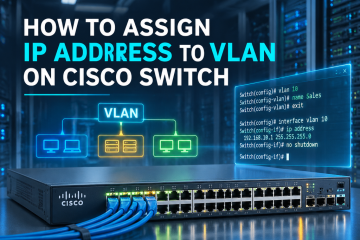
How to Assign IP Address to VLAN in Cisco Switch

In modern enterprise and campus networks, segmenting broadcast domains into Virtual Local Area Networks (VLANs) is standard engineering practice. While VLANs operate at Layer 2 to isolate traffic, network administrators frequently need to interact with these segments at Layer 3—either to provide remote switch management or to route traffic across different subnets. On a Cisco... » read more

How to Assign IP Address in Cisco Packet Tracer

Assigning IP addresses is the first critical milestone in building any network simulation in Cisco Packet Tracer. Whether you are assembling a basic two-node peer lab or provisioning an enterprise branch topology, devices cannot exchange packets without properly assigned Layer 3 addresses. Because Packet Tracer simulates diverse network components—from graphical end-user workstations to Cisco IOS... » read more

How to Change VLAN in Cisco Switch

VLAN (Virtual Local Area Network) segmentation is foundational to enterprise network design, separating broadcast domains, enforcing security boundaries, and directing traffic flow across Layer 2 environments. Whether reallocating workstation ports during office reconfigurations, altering native tags on inter-switch uplinks, or transitioning switch virtual interfaces (SVIs) away from the default management subnet, network administrators regularly need... » read more

How to Change Native VLAN on Cisco Switch

In an enterprise Cisco switching environment, IEEE 802.1Q trunk links carry traffic across multiple VLANs by appending a four-byte tag to standard Ethernet frames. However, 802.1Q also designates a single native VLAN per trunk link to handle frames that traverse the connection without a VLAN tag. By factory default, Cisco switches assign VLAN 1 as... » read more

How to Change the Native VLAN on a Cisco Switch

In an IEEE 802.1Q trunking environment, the native VLAN designates which virtual local area network handles untagged traffic passing across an inter-switch link. By default, Cisco Catalyst switches assign VLAN 1 as the native VLAN across all switchports and trunk links. While functional out of the box, leaving this default intact presents substantial security liabilities... » read more

How to Change Password on Cisco Router Username

Maintaining administrative control over network infrastructure begins with disciplined credential management. Whether performing routine security rotations, adjusting access privileges for network engineers, or replacing stale passwords on legacy equipment, updating local credentials in Cisco IOS and IOS-XE is a foundational operational task. While changing a local user’s password on a Cisco router requires only a... » read more

How to Change Password in Cisco AnyConnect

Cisco AnyConnect (now officially branded as Cisco Secure Client) is standard remote-access software for enterprise networks. However, users often encounter a confusing roadblock when their company credentials expire or require an update: there is no obvious “Change Password” button in the client interface. Whether you are facing an unexpected password expiration prompt, logging in through... » read more