Why Choose SPOTO?

20+ Years of Online IT Training

SPOTO was founded in 2003. We focus on online IT training for 20+ years and covers Cisco, PMP, CISSP, AWS and other popular IT exams.

Professional Tutors’ Support

We have a huge CCIE Tutors team to support our candidates to prepare and pass the Cisco exam fast and easily. 7/24 CCIE Instructors online support.

Vision And Mission

SPOTO aims to help our candidates to get IT certified and enhance the technical knowledge and skills. Advance their career and boost salary in IT industry.

Real and Valid QAs

SPOTO tutors offer latest and valid IT exam questions and answers from real exam to help you go through the exams fast and easily.

Latest Exam Feedbacks

SPOTO offers the latest Cisco, AWS, PMP, CISSP, CISA or other IT exam feedbacks from our candidates to help you know the exam information.

Secure Shopping Experience

Your purchase with SPOTO is safe and fast.Your information will never be shared by 3rd parties..

Pass Your Next IT Exams in First Try

Are you ready to prepare and pass your Cisco CCNA, CCNP, CCIE Lab, PMP, CISSP, AWS and other IT exams? Join SPOTO team to help you clear the exam fast.

How to Block MAC Address in Cisco Switch

Whether isolating an infected host, stopping an unauthorized device from accessing sensitive subnets, or mitigating Layer 2 attacks like ARP spoofing, blocking traffic by Media Access Control (MAC) address is a core operational task for network administrators. Cisco IOS and Cisco IOS-XE switches provide multiple native mechanisms to discard or filter frames based on hardware... » read more
How to Block ICMP in Cisco Router

Internet Control Message Protocol (ICMP) is a fundamental component of the Internet Protocol suite, responsible for vital diagnostic, operational, and error-reporting mechanisms across IP networks. However, unconstrained ICMP traffic frequently presents security concerns. Attackers leverage ICMP echo requests for network reconnaissance, scanning for live hosts, fingerprinting topology, and conducting volumetric denial-of-service (DoS) attacks such as... » read more

How to Blink a Port on a Cisco Switch

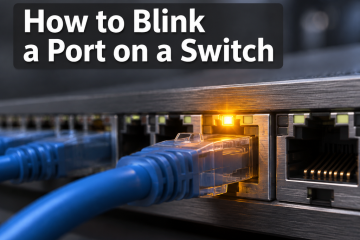
Tracing a network cable through an unmanaged patch panel or across a crowded data center rack is one of the most tedious tasks in network engineering. When you need to verify which physical switch port terminates a run, standing in front of a 48-port switch squinting at faint silk-screened numbers is inefficient and error-prone. The... » read more

How to Backup Running Config on Cisco Switch

Backing up the active running configuration on a Cisco Catalyst or Nexus switch is a fundamental task for any network administrator. Hardware failures, corrupted firmware upgrades, accidental misconfigurations, and security breaches can take an entire network offline in seconds. Having a verified, up-to-date backup of your switch configuration guarantees that a replacement device can be... » read more

How to Backup a Cisco Switch Configuration

Network infrastructure forms the backbone of modern enterprise operations, and switches are central to that stability. A sudden hardware failure, an erroneous command entered during maintenance, or a corrupted firmware update can take an entire segment of an organization offline in seconds. Having current, verified backups of your Cisco switch configurations is the primary safeguard... » read more

How to Backup Cisco Switch Configuration Automatically

Losing a switch configuration due to hardware failure, power loss, or accidental administrative changes can stall network operations and lead to hours of unplanned downtime. While every network administrator knows the manual copy running-config startup-config and copy running-config tftp: routines, relying on human diligence inevitably leads to out-of-date backups and undocumented drift. Automating configuration backups... » read more

How to Assign Multiple Ports to VLAN in Cisco Switch

Configuring VLAN memberships port-by-port on an enterprise switch is repetitive and prone to configuration drift. In dynamic campus and data center environments, network engineers frequently need to provision entire switch blocks—whether onboarding a batch of workstations, separating IoT infrastructure, or deploying VoIP handsets. Cisco IOS and IOS-XE streamline this process through the interface range command,... » read more

How to Assign Multiple VLANs to a Single Port Cisco

In enterprise campus networks, assigning multiple VLANs to a single physical switch port is a fundamental requirement. Whether connecting an upstream switch, provisioning an ESXi or Proxmox hypervisor, standing up a router-on-a-stick, or deploying an enterprise IP phone with a workstation attached to its secondary Ethernet port, network administrators must transmit traffic for more than... » read more

How to Assign IPv6 Address in Cisco Packet Tracer

Transitioning from IPv4 to IPv6 is one of the most critical milestones for network engineers and CCNA candidates. While the 128-bit hexadecimal addressing format can appear intimidating at first, implementing IPv6 in Cisco Packet Tracer is straightforward once you master Cisco IOS interface commands, understand host configuration, and know how to avoid common pitfalls like... » read more