Why Choose SPOTO?

20+ Years of Online IT Training

SPOTO was founded in 2003. We focus on online IT training for 20+ years and covers Cisco, PMP, CISSP, AWS and other popular IT exams.

Professional Tutors’ Support

We have a huge CCIE Tutors team to support our candidates to prepare and pass the Cisco exam fast and easily. 7/24 CCIE Instructors online support.

Vision And Mission

SPOTO aims to help our candidates to get IT certified and enhance the technical knowledge and skills. Advance their career and boost salary in IT industry.

Real and Valid QAs

SPOTO tutors offer latest and valid IT exam questions and answers from real exam to help you go through the exams fast and easily.

Latest Exam Feedbacks

SPOTO offers the latest Cisco, AWS, PMP, CISSP, CISA or other IT exam feedbacks from our candidates to help you know the exam information.

Secure Shopping Experience

Your purchase with SPOTO is safe and fast.Your information will never be shared by 3rd parties..

Pass Your Next IT Exams in First Try

Are you ready to prepare and pass your Cisco CCNA, CCNP, CCIE Lab, PMP, CISSP, AWS and other IT exams? Join SPOTO team to help you clear the exam fast.

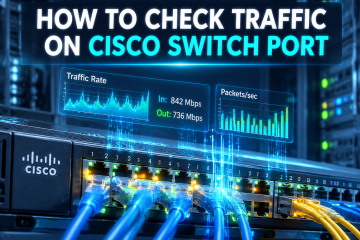
How to Check Traffic on Cisco Switch Port

When a network segment slows down, a critical server experiences packet loss, or an uplink nears saturation, your first diagnostic step is inspecting traffic at the switch port level. Cisco switches provide multiple layers of visibility—ranging from quick command-line counters that show immediate bandwidth utilization to packet-level inspection tools and automated graphing platforms. Mastering these... » read more
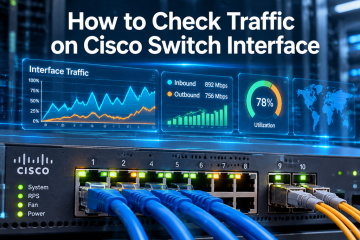
How to Check Traffic on Cisco Switch Interface

Monitoring bandwidth consumption and packet rates on a Cisco switch interface is a foundational skill for diagnosing network slowdowns, spotting microbursts, and planning capacity upgrades. Whether you are managing a Catalyst access switch running Cisco IOS-XE or a data center Nexus switch running NX-OS, the command-line interface (CLI) provides immediate visibility into real-time throughput, port... » read more

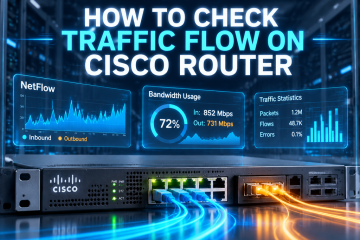
How to Check Traffic Flow on Cisco Router

When a WAN link saturates or critical applications begin dropping packets, network engineers need immediate visibility into what is traversing their Cisco routers. Checking traffic flow is not a single-command operation; depending on whether you need a quick bandwidth utilization check, a breakdown of the top IP addresses consuming capacity, or deep packet inspection of... » read more

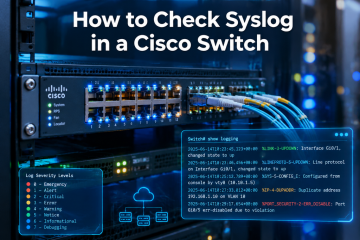
How to Check Syslog in Cisco Switch

Checking system logs (syslog) on a Cisco switch is one of the fastest ways to diagnose flapping interfaces, spanning-tree topology changes, authentication failures, and hardware faults. Whether you are investigating an active outage over an SSH session or auditing historical hardware events, Cisco operating systems provide built-in command-line utilities to inspect, filter, and export log... » read more

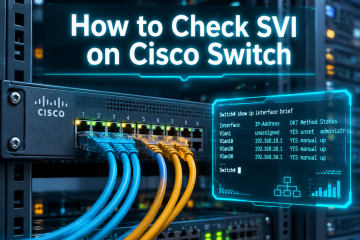
How to Check SVI on Cisco Switch

A Switch Virtual Interface (SVI) is a logical Layer 3 interface on a Cisco switch that provides IP routing and management connectivity for a specific Virtual Local Area Network (VLAN). Whether you are auditing gateway IP addresses, diagnosing inter-VLAN routing failures, or validating traffic counters on a multilayer switch, knowing how to inspect both the... » read more

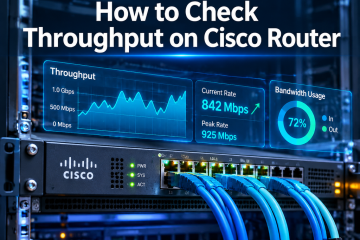
How to Check Throughput on Cisco Router

Monitoring traffic volume across a Cisco router requires looking at more than a single counter. Whether you are diagnosing an active bandwidth bottleneck, verifying that a WAN circuit is delivering its contracted speed, or checking if a router is hitting a software-enforced license ceiling, Cisco IOS and IOS-XE provide distinct command sets for port-level rates... » read more

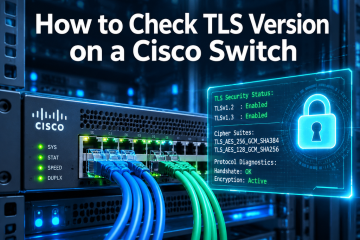
How to Check TLS Version in Cisco Switch

Verifying the active Transport Layer Security (TLS) version on a Cisco switch is a foundational step in network security auditing and vulnerability remediation. Whether a switch exposes an HTTPS web management GUI, answers RESTCONF/NX-API automation calls, or acts as a client streaming encrypted syslog messages and communicating with Cisco Catalyst Center, outdated protocols like TLS... » read more

SHRM-CP & SHRM-SCP Exam Check-in 2026 (Test Center)

If you searched for how to check in for the SHRM exam online, here is the first thing to know: SHRM’s current exam page says the SHRM-CP and SHRM-SCP must be taken in person at an authorized Prometric testing center. If you are used to taking certification exams online, such as CCNA through Pearson VUE,... » read more

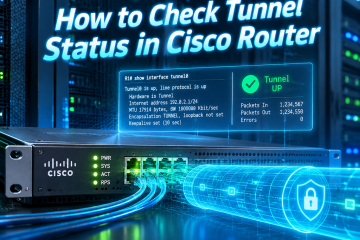
How to Check Tunnel Status in Cisco Router

Maintaining reliable site-to-site connectivity across Generic Routing Encapsulation (GRE), IPsec VPN, and Dynamic Multipoint VPN (DMVPN) links requires knowing exactly where to inspect both the logical interface layer and the underlying encryption state on Cisco IOS and IOS XE routers. Because a tunnel interface can appear administratively active even when encrypted traffic fails to pass,... » read more