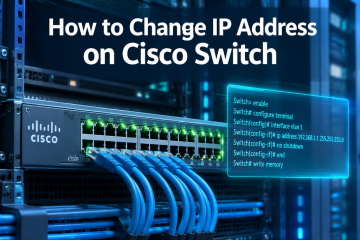
How to Change IP Address on Cisco Switch

Managing network infrastructure often requires re-addressing devices during subnet migrations, security segmentation projects, or initial deployments. On Cisco Catalyst switches, management access is handled through a Switch Virtual Interface (SVI)—a logical Layer 3 interface tied to a specific VLAN. Changing this IP address requires precision: an incorrect subnet mask, a forgotten default gateway, or an... » read more

How to Change Encapsulation on Cisco Switch

Trunk links are essential in enterprise networking, carrying traffic for multiple Virtual Local Area Networks (VLANs) across switches, routers, and firewalls over a single physical or logical interface. To ensure that the receiving device forwards each Ethernet frame to its intended broadcast domain, the switch applies a VLAN encapsulation mechanism. While the networking industry has... » read more

How to Change Default VLAN on Cisco Switch

When network administrators discuss changing the “default VLAN” on a Cisco switch, they are usually referring to one of three distinct concepts: changing the untagged 802.1Q native VLAN on trunk links, migrating the switch management virtual interface (SVI) away from VLAN 1, or reassigning default access ports. In factory-default Cisco configurations, VLAN 1 simultaneously serves... » read more

How to Change Duplex in Cisco Switch

Ethernet interfaces operate in either half-duplex or full-duplex mode. In half-duplex mode, an interface cannot send and receive data at the same time, relying on Carrier Sense Multiple Access with Collision Detection (CSMA/CD) to manage link contention. In full-duplex mode, dedicated transmit and receive paths eliminate collisions entirely, effectively doubling total potential bandwidth. While modern... » read more

How to Assign an IP Address to a Cisco Switch

By default, an unconfigured Cisco Catalyst switch operates strictly as a Layer 2 transparent bridge. It forwards frames using MAC addresses without needing an IP address to pass local network traffic. However, assigning an IP address to the switch is essential for administration—it enables remote management over secure protocols like SSH, facilitates network monitoring via... » read more

How to Assign an IP Address to a Cisco Router

Assigning an IP address to a Cisco router interface is one of the most fundamental tasks in network engineering. Whether provisioning a local area network (LAN) default gateway, establishing a point-to-point connection between routers, or configuring an upstream wide area network (WAN) link to an Internet Service Provider (ISP), an interface cannot route traffic until... » read more

How to Add Static Route Cisco

Routing is the core engine of internetworking, dictating how packets traverse local segments, wide area connections, and the global internet. Within Cisco IOS and IOS-XE platforms, static routes provide network engineers with absolute, deterministic control over packet forwarding paths. Unlike dynamic routing protocols that calculate paths using complex algorithms and periodic advertisements, a static route... » read more

How to Add Static MAC Address on Cisco Switch

In an enterprise Ethernet local area network (LAN), Cisco switches make forwarding decisions at Layer 2 using a Content-Addressable Memory (CAM) table. Under standard operating conditions, this table is populated dynamically: the switch inspects the source Media Access Control (MAC) address of incoming frames, notes the physical port or Port-Channel on which the frame arrived,... » read more

How to Add Password to Cisco Router

Securing access to enterprise network infrastructure begins with setting robust administrative passwords on your routing hardware. By default, a newly deployed Cisco router operates in an unauthenticated or minimally protected state, leaving both physical console ports and virtual network interfaces susceptible to unauthorized intrusion. If a rogue actor gains entry to the router’s command-line interface... » read more