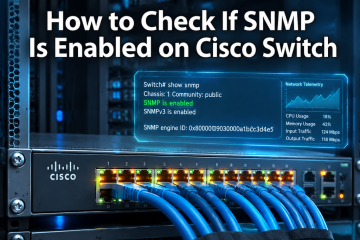
How to Check If SNMP Is Enabled on Cisco Switch

Verifying whether Simple Network Management Protocol (SNMP) is active on a Cisco switch is the first step in setting up network monitoring, auditing security configurations, or diagnosing polling failures. Because Cisco operating systems handle SNMP agent activation, version-specific credentials, and hidden security keys differently, a single configuration check rarely shows the whole picture. Depending on... » read more

How to Check if Multicast Is Enabled on Cisco Switch

Verifying whether multicast is enabled on a Cisco switch requires checking two distinct layers of the network stack. A switch operating purely at Layer 2 handles multicast traffic very differently from a multilayer switch routing multicast streams between VLANs. Before running verification commands, you need to determine whether your switch is responsible for local Layer... » read more

How to Check GRE Tunnel Status in Cisco Router

Generic Routing Encapsulation (GRE) tunnels provide virtual point-to-point and multipoint connectivity across IP networks, enabling Cisco routers to transport routing protocols, multicast streams, and IPv6 payloads over an existing IPv4 or IPv6 underlay. Because a GRE tunnel is a logical construct rather than a physical wire, verifying whether it is truly operational requires checking more... » read more

How to Check Free Space on Cisco Switch

Running out of space on a Cisco switch can halt a scheduled firmware upgrade, prevent configuration backups, or trigger packet drops during peak traffic. Because Cisco operating systems divide device capacity across multiple storage tiers and memory pools, checking available space requires targeting the right subsystem for your task. Whether you are auditing persistent flash... » read more

How to Check Flash Memory in Cisco Switch

Verifying available flash memory on a Cisco switch is a mandatory check before staging firmware upgrades, storing packet captures, or troubleshooting unexpected system reloads. Because flash storage holds the operating system image, boot configuration packages, and diagnostic crash logs, running out of space can cause software installations to fail mid-deployment. Understanding how to inspect storage... » read more

How to Check Flapping in Cisco Switch

Network instability on a Cisco switch often manifests in one of two ways: physical port (link) flapping, where an interface repeatedly cycles between up and down states, or Layer 2 MAC address flapping, where the switch continuously relearns the same hardware address across different ports. Both conditions degrade application performance, trigger Spanning Tree Protocol (STP)... » read more

How to Check Fiber Ports in Cisco Switch

Verifying the health of fiber optic uplinks on a Cisco switch requires more than checking whether the physical port LED is green. Because fiber links rely on laser transceivers (SFP, SFP+, QSFP+) and delicate glass strands, links can suffer from signal attenuation, dirty ferrules, polarity mismatches, or transceiver firmware blocks even when the interface configuration... » read more

How to Check DHCP Scope on Cisco Switch

When a Cisco Catalyst or Layer 3 switch acts as a local DHCP server, visibility into pool utilization, excluded IP ranges, and active client leases is critical for keeping networks online. Whether you are auditing available IP capacity on a branch office switch or diagnosing why new endpoints cannot obtain an IP address, Cisco IOS... » read more

How to Check DHCP Pool in Cisco Switch

When a Cisco Catalyst or Layer 3 switch acts as an internal DHCP server, monitoring pool capacity and lease allocations is essential for keeping client subnets online. Whether you are auditing available IP capacity, tracking down which device claimed a specific address, or diagnosing why new clients are failing to join the network, Cisco IOS... » read more