How Many Secondary IP Addresses Cisco?

Configuring multiple IP subnets on a single physical or virtual interface is a common task in enterprise networking, particularly during data center migrations, IP renumbering projects, and subnet expansion. In the Cisco ecosystem, the ip address <ip-address> <mask> secondary command allows network administrators to assign multiple logical networks to a single broadcast domain. However, network... » read more
How Many Switches Can Be Stacked in Cisco?

In enterprise campus networking, switch stacking consolidates multiple physical switches into a single logical entity. Instead of provisioning, routing, and managing individual devices across wiring closets, a stack shares a single management IP address, a unified control plane, and a distributed data plane. The maximum number of switches you can stack in a Cisco environment... » read more

What Is Cisco’s Role in Shaping the Global Networking Industry?

When the modern digital era began taking shape in the mid-1980s, computer networking was a fractured landscape of proprietary, incompatible protocols. Isolated islands of computing could communicate locally, but bridging diverse systems across disparate architectures remained an unsolved engineering challenge. Cisco Systems stepped directly into this void, developing the commercial multi-protocol router and providing the... » read more

What Is Cisco’s Role in Advancing Global Internet Infrastructure?

The global internet is undergoing its most radical architectural transformation since the commercialization of the World Wide Web. Surging demand driven by cloud computing, streaming media, distributed artificial intelligence workloads, and 5G densification has pushed legacy networking architectures to their physical, thermal, and economic limits. Long-haul fiber routes, metropolitan aggregation networks, and subsea interconnects now... » read more

How Many Ports Does a Cisco Switch Have?

A Cisco switch does not have a single, universal port count. Depending on the deployment environment and hardware form factor, a Cisco switch can provide as few as 8 ports on a compact desktop device or scale up to hundreds of ports in an enterprise modular chassis. Furthermore, enterprise stacking technologies allow multiple standalone units... » read more

How Can I Find My Cisco Router Password?

Whether you have inherited legacy hardware, misplaced administrative documentation, or found yourself locked out of your network equipment, determining your Cisco router’s password can be approached from several angles. Depending on the router platform and your level of access, the solution can range from verifying factory defaults and decoding weakly encrypted strings in an existing... » read more

How Can I Find My Cisco Router Password?

Losing administrative access to a Cisco router is one of the most common—and critical—challenges network administrators encounter. Whether inheriting unmanaged legacy infrastructure, setting up a surplus unit from storage, or finding yourself locked out following an emergency personnel shift, restoring control without disrupting operations is vital. Depending on whether you manage an enterprise Cisco IOS/IOS-XE... » read more

How to Save Cisco Switch Configuration

When you configure a Cisco Catalyst or enterprise switch running Cisco IOS or IOS-XE, your commands take effect immediately in volatile dynamic RAM (DRAM). This live operational state is designated as the running configuration. Because DRAM requires continuous power to retain data, any uncommitted modifications will be permanently erased if the switch reboots or experiences... » read more

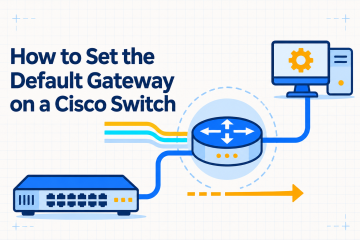
How to Set the Default Gateway on a Cisco Switch

Configuring a default gateway on a Cisco switch is an essential step in network administration. While a Layer 2 switch forwards frames within a local local area network (LAN) using MAC addresses, it requires an IP address on a Switch Virtual Interface (SVI) to enable remote management via SSH, SNMP, syslog, RADIUS, and TACACS+. Without... » read more