How to Check SSH Version on Cisco Switch

Verifying the Secure Shell (SSH) protocol version running on your network infrastructure is a fundamental step in security auditing and compliance. While SSH Version 2 (SSHv2) provides strong encryption and message integrity, legacy configurations on Cisco switches often leave SSH Version 1 (SSHv1) fallback enabled by default, exposing management planes to protocol downgrade and man-in-the-middle... » read more
How to Check SPAN Port on Cisco Switch

Verifying whether a Switched Port Analyzer (SPAN) session is active—and confirming which interfaces are acting as traffic sources or capture destinations—is a routine requirement during network troubleshooting, security auditing, and packet analysis. Because a SPAN destination port behaves differently from standard switching ports, checking its configuration only through basic interface counters can easily lead to... » read more

How to Check SNMP Configuration in Cisco Switch

Verifying Simple Network Management Protocol (SNMP) settings on a Cisco switch is a routine yet critical task whenever you onboard devices into a Network Management System (NMS), audit security compliance, or diagnose sudden monitoring outages. Because Cisco operating systems split SNMP data across the active running configuration, NVRAM-protected security tables, and real-time agent counters, checking... » read more

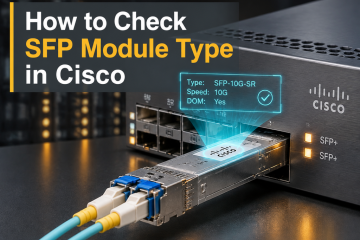
How to Check SFP Type in Cisco

Identifying the exact Small Form-Factor Pluggable (SFP) transceivers installed in your Cisco switches and routers is a routine requirement for capacity planning, fiber troubleshooting, and hardware audits. Without physically pulling optics from live ports—which causes link flaps and network downtime—you can inspect media types, Cisco Product IDs (PIDs), serial numbers, and real-time optical power levels... » read more

How to Check SFP Status on Cisco Switch

Verifying the operational health of Small Form-Factor Pluggable (SFP) transceivers is a fundamental task when provisioning fiber links or diagnosing physical-layer connectivity on Cisco switches. Whether you are confirming that a newly inserted module is recognized by the chassis, measuring real-time optical power levels, or resolving port shutdown errors, Cisco provides a comprehensive set of... » read more

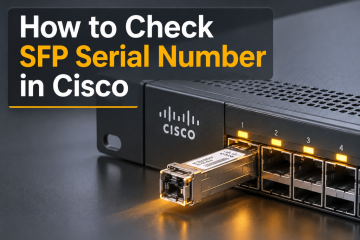
How to Check SFP Serial Number in Cisco

Tracking the serial numbers of Small Form-factor Pluggable (SFP, SFP+, and QSFP) transceivers is a routine requirement for network asset audits, Smart Net warranty renewals, Return Material Authorizations (RMAs), and counterfeit hardware checks. Because transceivers are hot-swappable field-replaceable units (FRUs) with their own internal EEPROM chips, you do not need to unplug fibers or schedule... » read more

How to Check SFP Port on Cisco Switch

Verifying the status, hardware identity, and optical signal health of Small Form-Factor Pluggable (SFP) ports on a Cisco switch is a routine part of network deployment and fiber troubleshooting. Whether you are confirming that a newly inserted transceiver is recognized by the switch backplane, auditing serial numbers across a stack, or diagnosing a degraded fiber... » read more

How to Check Running Configuration in Cisco Router

Inspecting the active configuration on a Cisco router is one of the most fundamental tasks in network administration and troubleshooting. Whether you are auditing routing protocols, verifying access control lists, or confirming interface IP assignments before committing changes, knowing how to view, filter, and manage the router’s configuration file through the Cisco IOS Command Line... » read more

How to Check Root Bridge in Cisco Switch

Every Layer 2 Ethernet network running Spanning Tree Protocol (STP) relies on a single logical focal point: the root bridge. Because all loop-free forwarding paths are calculated relative to this switch, knowing which device holds the root role is essential for troubleshooting suboptimal traffic flows, unexpected link blocking, and topology flaps. On a Cisco switch,... » read more