How to Check BGP Logs in Cisco Router

Border Gateway Protocol (BGP) is the routing backbone of enterprise WANs, data centers, and the internet. When a BGP peering session drops, flaps, or fails to establish, the local logging facility on a Cisco router is your primary tool for pinpointing the root cause. Cisco IOS and IOS-XE record neighbor state transitions, TCP reset reasons,... » read more
How to Check BGP Flapping in Cisco

Border Gateway Protocol (BGP) instability is one of the most critical issues a network engineer can face. When BGP flaps, it consumes router CPU cycles, invalidates forwarding tables, and introduces severe packet loss and routing black holes across autonomous systems. Diagnosing BGP flapping on Cisco IOS, IOS-XE, and NX-OS devices requires recognizing a fundamental distinction:... » read more

How to Check BGP Configuration on Cisco Router

Verifying Border Gateway Protocol (BGP) operation on a Cisco router is a core operational task for network engineers. Because BGP governs inter-domain routing across the internet and large enterprise backbones, an undetected misconfiguration, dropped peering session, or route-filtering discrepancy can quickly lead to blackholed traffic or widespread outages. Auditing BGP involves confirming the active configuration... » read more

How to Check Bandwidth Usage on Cisco Switch Interface

When network performance slows down or users report intermittent connectivity, determining whether a switch port is saturated is an essential first troubleshooting step. Cisco Catalyst and Nexus switches continuously track ingress and egress traffic counters across all physical and logical interfaces. By leveraging the Cisco IOS/IOS XE command-line interface (CLI), network administrators can inspect point-in-time... » read more

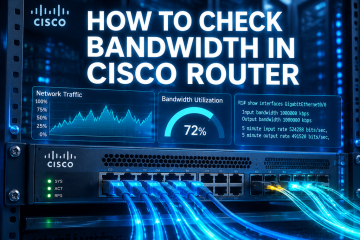
How to Check Bandwidth in Cisco Router

Monitoring interface bandwidth on a Cisco router is a fundamental task for network engineers diagnosing congestion, validating circuit capacity, and troubleshooting performance degradation. Whether an administrator is responding to an active network slowdown or performing long-term capacity planning, Cisco IOS and IOS-XE offer multiple layers of visibility—ranging from low-level interface counters and statistical averages to... » read more

How to Check ARP Table in Cisco Switch

When troubleshooting network connectivity, identifying duplicate IP addresses, or tracking down the physical switch port connected to an endpoint, inspecting the Address Resolution Protocol (ARP) table on a Cisco switch is an essential diagnostic step. The ARP table maintains the dynamic and static bindings between Layer 3 IPv4 addresses and Layer 2 MAC addresses. However,... » read more

How to Check Advertised Routes in BGP Cisco

In Border Gateway Protocol (BGP) routing, verifying route propagation is one of the most critical operational tasks for network engineers. Whether you are provisioning an Internet transit link, peering over an Internet Exchange Point (IXP), or deploying an internal MPLS/EVPN fabric, ensuring that your router announces only the intended prefixes—and strictly suppresses internal or unauthorized... » read more

How to Charge Cisco Flip Video

First introduced by Pure Digital Technologies and later acquired by Cisco, the Flip Video camera family remains an iconic piece of late-2000s pocket tech. Whether you are pulling a Flip MinoHD out of storage to digitize old family memories or using a Flip UltraHD for its distinct retro aesthetic, powering these camcorders requires an understanding... » read more

How to Charge a Cisco Flip Video Camera

Cisco Flip video cameras—originally developed by Pure Digital Technologies before being acquired by Cisco—revolutionized pocket videography with their point-and-shoot simplicity and integrated, flip-out USB connector. Unlike modern electronics that rely on generic USB-C cables, Flip camcorders carry their charging hardware directly on their chassis. Whether you are dusting off a vintage Flip Mino, an UltraHD,... » read more