How to Blink a Port on a Cisco Switch

Tracing a network cable through an unmanaged patch panel or across a crowded data center rack is one of the most tedious tasks in network engineering. When you need to verify which physical switch port terminates a run, standing in front of a 48-port switch squinting at faint silk-screened numbers is inefficient and error-prone. The... » read more
How to Backup Running Config on Cisco Switch

Backing up the active running configuration on a Cisco Catalyst or Nexus switch is a fundamental task for any network administrator. Hardware failures, corrupted firmware upgrades, accidental misconfigurations, and security breaches can take an entire network offline in seconds. Having a verified, up-to-date backup of your switch configuration guarantees that a replacement device can be... » read more

How to Backup a Cisco Switch Configuration

Network infrastructure forms the backbone of modern enterprise operations, and switches are central to that stability. A sudden hardware failure, an erroneous command entered during maintenance, or a corrupted firmware update can take an entire segment of an organization offline in seconds. Having current, verified backups of your Cisco switch configurations is the primary safeguard... » read more

How to Backup Cisco Switch Configuration Automatically

Losing a switch configuration due to hardware failure, power loss, or accidental administrative changes can stall network operations and lead to hours of unplanned downtime. While every network administrator knows the manual copy running-config startup-config and copy running-config tftp: routines, relying on human diligence inevitably leads to out-of-date backups and undocumented drift. Automating configuration backups... » read more

How to Assign Multiple Ports to VLAN in Cisco Switch

Configuring VLAN memberships port-by-port on an enterprise switch is repetitive and prone to configuration drift. In dynamic campus and data center environments, network engineers frequently need to provision entire switch blocks—whether onboarding a batch of workstations, separating IoT infrastructure, or deploying VoIP handsets. Cisco IOS and IOS-XE streamline this process through the interface range command,... » read more

How to Assign Multiple VLANs to a Single Port Cisco

In enterprise campus networks, assigning multiple VLANs to a single physical switch port is a fundamental requirement. Whether connecting an upstream switch, provisioning an ESXi or Proxmox hypervisor, standing up a router-on-a-stick, or deploying an enterprise IP phone with a workstation attached to its secondary Ethernet port, network administrators must transmit traffic for more than... » read more

How to Assign IPv6 Address in Cisco Packet Tracer

Transitioning from IPv4 to IPv6 is one of the most critical milestones for network engineers and CCNA candidates. While the 128-bit hexadecimal addressing format can appear intimidating at first, implementing IPv6 in Cisco Packet Tracer is straightforward once you master Cisco IOS interface commands, understand host configuration, and know how to avoid common pitfalls like... » read more

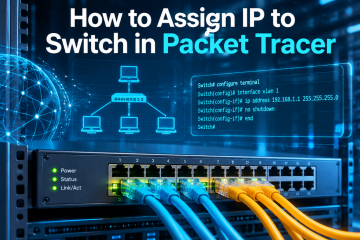
How to Assign IP to Switch in Cisco Packet Tracer

In computer networking, switches are traditionally regarded as Layer 2 devices designed to forward traffic based on Media Access Control (MAC) addresses. When building topologies in Cisco Packet Tracer, new network engineers often wonder why—and how—an IP address should be assigned to a switch. While a standard Layer 2 switch does not need an IP... » read more

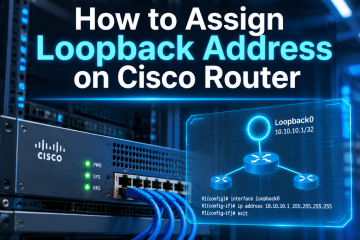
How to Assign Loopback Address on Cisco Router

In Cisco IOS and IOS XE networking, a loopback interface is a logical, virtual software interface that is not bound to any physical port or external hardware link. Unlike physical Ethernet or serial interfaces that transition to a “down/down” state when a patch cable is unplugged or a link partner reboots, a loopback interface remains... » read more